- Google Calendar Integration
Automatically Sync Shifts and Notes in Google Calendar with ShiftCare.
Publish shifts to Google Calendar directly with ShiftCare. Automatically sync shifts to your staff’s calendars, including times, locations, contact details, and care notes. Keep your team on the same page in real time – without the manual data entry

No Credit Card Required

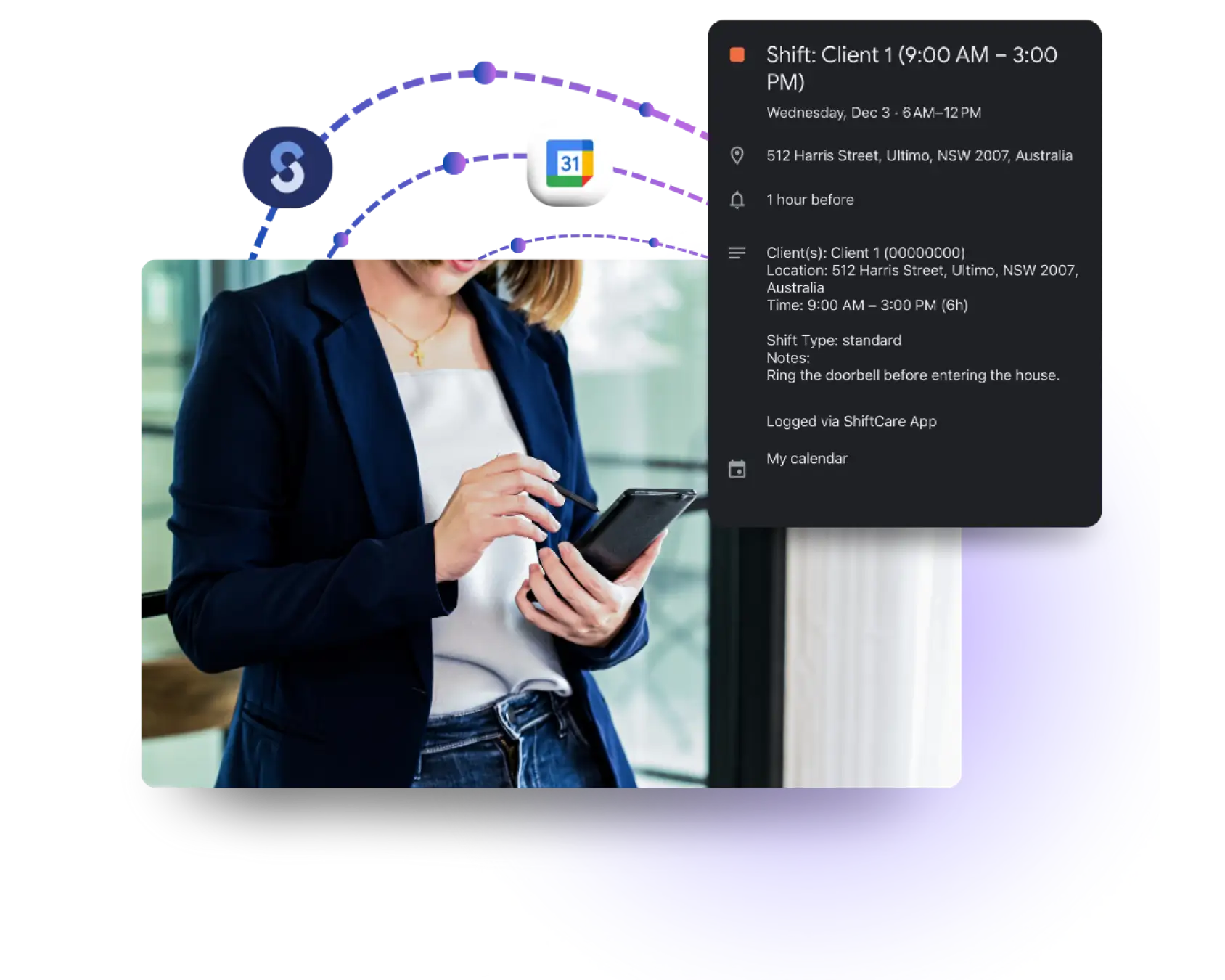
Turn ShiftCare Schedules Into Live Calendar Events
ShiftCare’s Google Calendar integration creates a one-way sync between your schedule and your caregivers’ personal calendars. Once enabled, every published shift automatically appears as a calendar event.
- Single source of truth: Caregivers can see their work shifts alongside personal commitments, reducing missed or overlooked visits.
- Live updates for changes and cancellations: Any edits made in ShiftCare will reflect on their corresponding calendar events in real time.
- Full shift details in one view: Event notes include client details, contact numbers, and care instructions entered in ShiftCare.
Reduce Scheduling Friction for Caregivers and Coordinators
Remove small, repetitive tasks that cause the most friction in daily scheduling. Caregivers won’t need to manage their work schedule separately or double-check multiple systems anymore.
- Fewer scheduling mix-ups: Calendar events always match the latest shift status, so you can reduce the missed visits and EVV issues caused by outdated information.
- Set-and-forget recurring schedules: Ongoing shifts populate future calendar events automatically, even months in advance.
- Less back-and-forth with coordinators: With accurate schedules visible in real time, there’s less need for confirmation calls or follow-up messages.
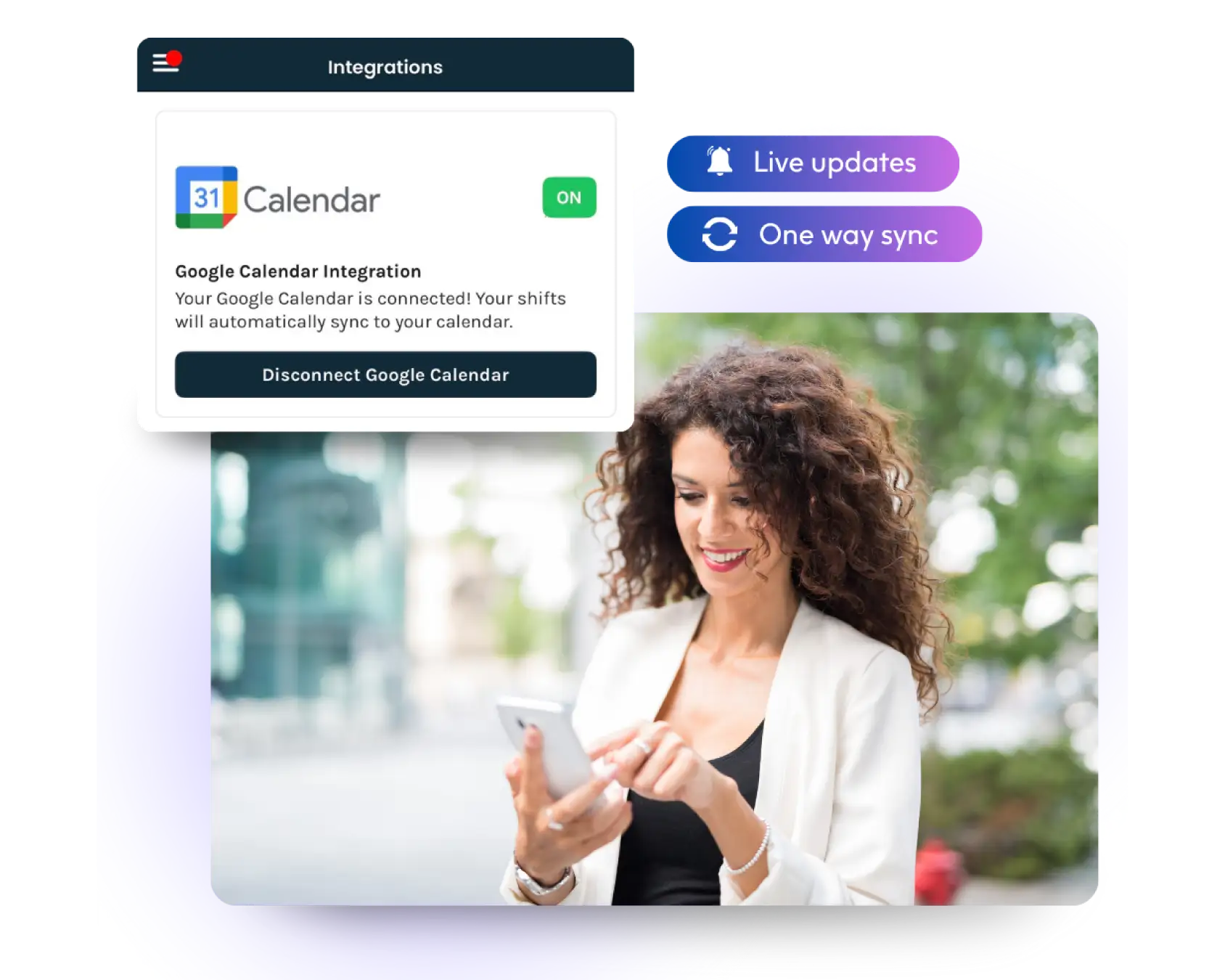

Practical Scheduling Support for Field-Based Care Teams
Getting started only takes a few clicks. Coordinators control the integration at the account level, while caregivers connect their own calendars through the mobile app. Once enabled, shifts begin syncing automatically – no ongoing setup or manual steps required.
One Shift Entry, One Shared Schedule - Switch to Smarter Shift Management
Ready to move to smarter, integrated care management? Start a free trial today. See how ShiftCare can support your team to centralize shift management in one system.
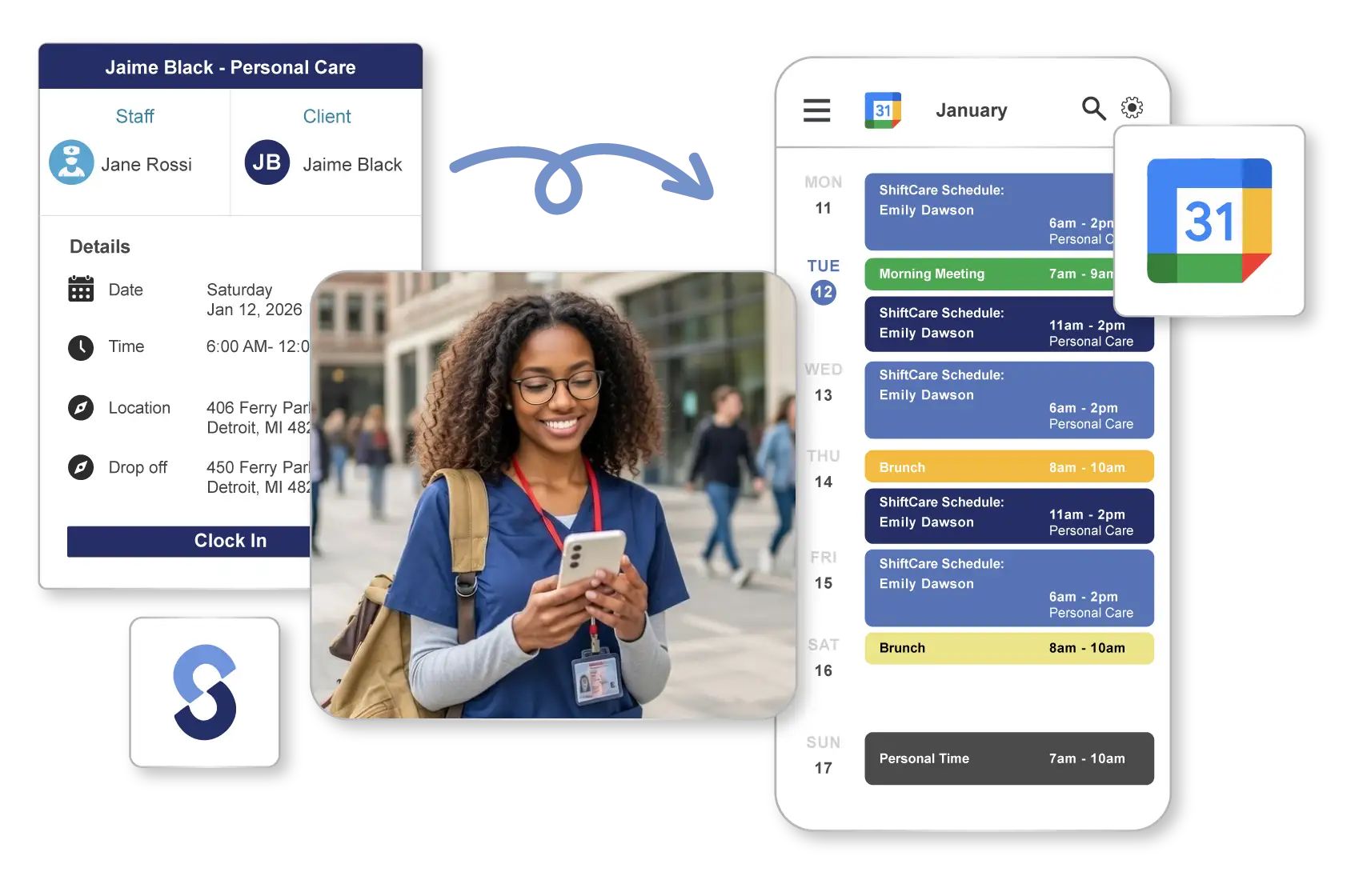
Any questions?
What info is synced?
The information that you input in the shift settings tray, e.g., client name, time, location, phone number, and shift notes, automatically syncs with your Google Calendar event’s notes.
What happens if a shift is deleted?
Cancelled shifts are removed from your Google Calendar account. To completely remove a standalone or recurring event, however, you’ll have to delete the shift on ShiftCare.
Do recurring shifts work?
Yes, you can set recurring shifts to populate events on Google Calendar automatically. Any changes you make to a shift’s details on ShiftCare will also sync with its future events.