ShiftCare vs CareSmartz360
Both CareSmartz360 and ShiftCare support agencies in delivering quality care. But which software should you opt for?
Join 8,000+ care provider businesses that use ShiftCare
Subscriptions start at just $9 user / month.
Home Care Software Under The Microscope
When shopping for home care software, there’s lots to consider: features, price points, ease of use, customer support…
That’s why we’re doing an in-depth comparison of CareSmartz360 and our own software, ShiftCare. We’ll share the pros and cons of both platforms, so you can decide which will best meet your needs.
What Is CareSmartz360?
CareSmartz360 is a suite of home care software, complete with apps for caregivers and agency staff plus a portal for clients’ loved ones.
Features include scheduling, invoicing, and document management. It also integrates with external tools, such as QuickBooks, and uses AI for reporting.
CareSmartz360 offers four different pricing tiers, with your subscription fee based on the number of clients you manage. However, the company does not publish its prices or subscription lengths online. To find out how much a subscription costs, you’ll need to sign up for a demo with a sales rep.

What Is ShiftCare?
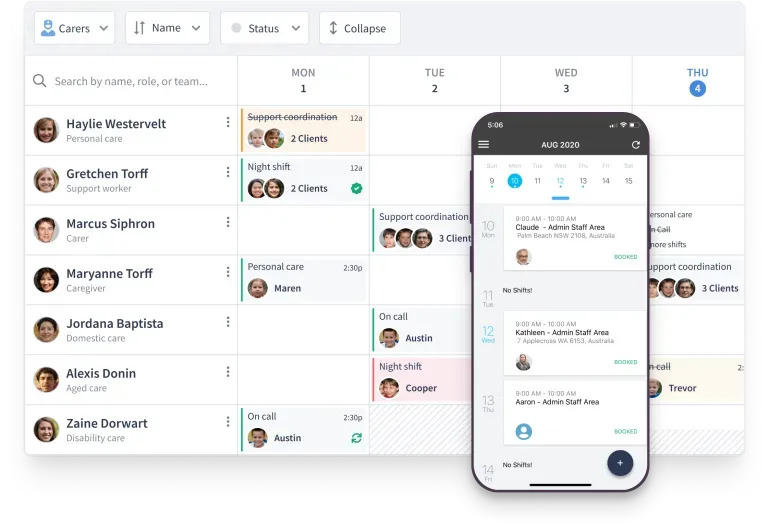
ShiftCare is an all-in-one care management software that helps you manage your staff, client care services, and per-shift costs. It comes with accounting and payroll integrations, as well as a caregiver mobile app and a platform for clients’ family and friends.
It stands out thanks to its:
-
Transparent pricing
You’ll always know how much you’re paying with ShiftCare. Pricing plans are published online and start from $8/user. The different tiers allow you to pay for what you need and nothing more. And with a monthly subscription, it’s easy to change your plan based on your usage.
-
Client documentation that drives better care
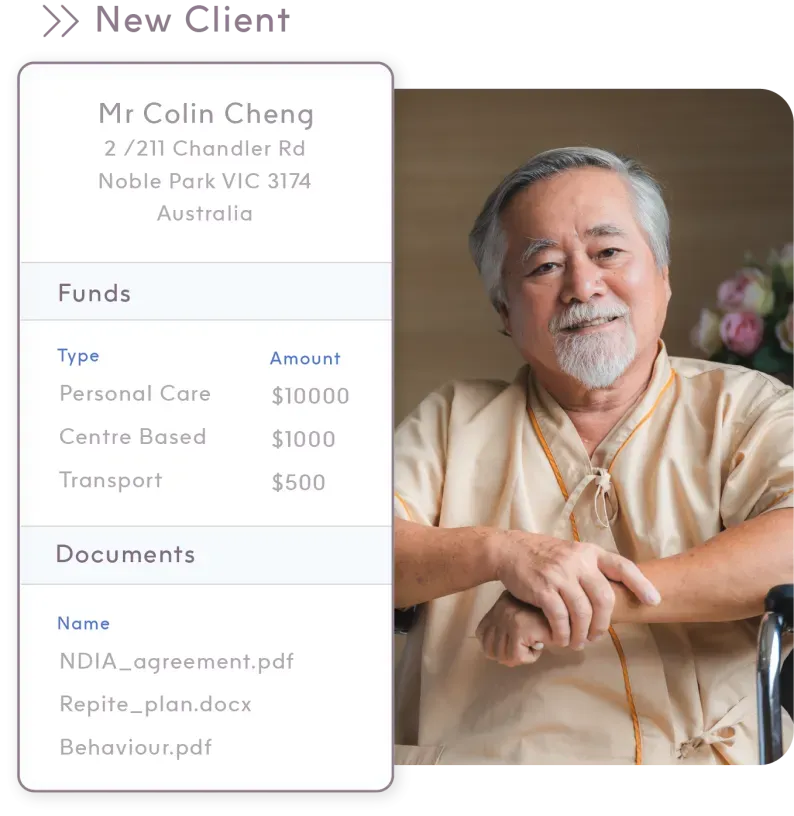
With ShiftCare, you’ll get care plan management, customizable visit note templates, incident report management, client goals and progress tracking, and client budget management. Your team will have all the information they need to ensure high-quality care focused on individual clients’ needs.
-
Support when things go wrong on shift
Real-time no-show alerts will help you quickly take action when a caregiver doesn’t arrive for their shift. You can also set up custom incident report templates for different issues, such as client hospitalization or suspected abuse, to create a detailed paper trail. And since prevention is better than cure, ShiftCare also comes with document expiry notifications and forecasted budget overspending alerts.
ShiftCare vs CareSmartz360: Feature Comparison
| Feature | Carelink | ShiftCare |
|---|---|---|
| Country | USA, Canada, Singapore | USA, Canada and Australia |
| Price | Price on request | From $8 user / month |
| Minimum Contract Length | ? | One month |
| Free Trial | ||
| Set-up Fee | Available on request | Free self-onboarding; paid packages also available |
| Scheduling | ||
| Caregiver Shift Bidding | ||
| Time and Attendance | ||
| Real-Time No-Show Alerts for Admin Team | ? | |
| Customizable Care Note Templates | ||
| Client Budget Management | ||
| Client Goals Tracking | ? | |
| Invoicing | ||
| Multi-payer Management | ||
| Caregiver Training Courses | ||
| Accounting Integration | ||
| EVV Integrations | Depends on the state | |
| Autogenerated Reports | ||
| Live Customer Support Chat | ||
| Mobile Caregiver App | ||
| Portal for Clients and Their Loved Ones | ||
| EVV - State Based Support | ||
| Caregiver Training Courses | Coming soon | |
| Multi-Payer Management | ? | Coming soon |
Disclaimer: This comparison is based on publicly available information and customer feedback as of March, 2025. All comparative statements are intended to be truthful, accurate, and evidence-based. ShiftCare has no affiliation with or endorsement from CareSmartz360. Their name is used strictly for comparative purposes. If you represent CareSmartz360 and believe any information presented here is inaccurate or misleading, please contact us, we’re open to feedback and will review any substantiated concerns.
For a detailed overview of ShiftCare plans and pricing, please see our pricing page.
ShiftCare vs CareSmartz360: Which Is Best?
Here at ShiftCare, we’re proud of how our software helps thousands of agencies to deliver care more efficiently and effectively.
But we know that there’s no one-size-fits-all option for care management software. The best software is the one that best aligns with your business needs, whether that’s intuitive platforms or detailed analytics.
Both CareSmartz360 and ShiftCare will support you with scheduling, time-tracking, care notes, customizable document templates, accounting integrations, invoicing, and reporting. They also come with a caregiver mobile app and a portal for clients’ loved ones.
CareSmartz360 also offers EVV integrations for most states, multi-payer management, and caregiver training courses.
ShiftCare, meanwhile, has patient goals tracking and budget management so you can make sure your care services are meeting clients’ needs. It also has a live customer support chat so you can get instant help with any issues.
If you want to get started with CareSmartz360, you’ll need to fill in their web form to request a sales demo. Their sales team will tell you how much CareSmartz360 costs and the subscription length during the demo. There is no free trial.
With ShiftCare, you have two options. Either take a look at the pricing page, select one of the affordable subscription plans, and start your free trial. Or, choose between the free and paid onboarding packages and ShiftCare will help you get set up.
Any questions?
How much does CareSmartz360 cost?
CareSmartz360 does not publish a single monthly price for every agency. Pricing is based primarily on the number of active clients and the products or services selected, rather than a fixed per-user fee. Agencies need to request a customized quote and confirm implementation, training, integrations and optional-feature costs.
Is CareSmartz360 HIPAA compliant?
Yes, CareSmartz360 describes its platform and data storage as HIPAA compliant. Its standard package includes secure data storage alongside scheduling, billing, payroll, EVV and client management tools. However, software alone cannot make an agency compliant; each organization remains responsible for access controls, staff training and appropriate handling of protected health information.
What’s the best HIPAA compliance tool?
There is no single best HIPAA compliance tool for every home care agency. The right choice depends on your workflows, agency size, integrations and the protected health information you handle. Look for role-based permissions, audit trails, secure storage, a Business Associate Agreement and controls that support your documented privacy and security procedures.
Who is required to be HIPAA compliant?
HIPAA applies to covered entities and certain business associates that handle protected health information. Covered entities include qualifying healthcare providers, health plans and healthcare clearinghouses. Vendors and subcontractors that create, receive, maintain or transmit protected health information for them may also have direct responsibilities under parts of the HIPAA Rules.
What are the top five HIPAA violations?
Five common HIPAA compliance failures are unauthorized disclosures, inadequate risk assessments, weak access controls, missing Business Associate Agreements and delayed breach notifications. Lost devices, unsecured records and employees accessing information without a legitimate reason can also cause violations. The seriousness of each incident depends on the circumstances and the safeguards already in place.
Who is not required to follow HIPAA?
Organizations that are neither covered entities nor business associates generally are not required to follow HIPAA. This can include some employers, schools, consumer apps and businesses that do not handle protected health information for a covered entity. Other federal or state privacy laws may still apply even when HIPAA does not.
Is email HIPAA compliant?
Email can be used compliantly under HIPAA, but email itself is not automatically HIPAA compliant. An agency must assess the risks, use reasonable safeguards and control who can access protected health information. When an email provider handles that information on the agency’s behalf, an appropriate Business Associate Agreement may also be required.