Choosing software for a Canadian disability group home is not the same as choosing a generic residential care platform. The funding structures, reporting obligations, and regulatory expectations across Ontario DSO, British Columbia CLBC, and Alberta PDD are different enough that generic tools create workarounds instead of solving problems.
Most care management platforms target aged care or medical settings. They import assumptions from those sectors: physician-centred documentation, medication-focused records, and billing structures built around provincial health insurance rather than disability funding. Canadian disability support providers are supporting people with intellectual disabilities, autism, acquired brain injuries, and complex physical needs to live in their own homes and communities. The software needs to reflect that. When evaluating software, the first filter should be: was this built for disability services, or did the vendor adapt it from somewhere else?
What Core Features Canadian Disability Group Homes Need

Furthermore, shift and rostering management is foundational. Still, group homes run 24/7. Indeed, staffing continuity matters enormously for residents who rely on familiar support workers and consistent routines. Software needs to manage shift patterns across multiple residential sites, track staff availability and qualifications, flag understaffing or overtime risks. Provide mobile access so workers can check schedules and log attendance from the home.
However, incident reporting needs to make it easy for support workers to log incidents from mobile devices immediately after they occur, route reports to the right managers automatically, track follow-up actions. Produce summary reports for quality reviews and funding body audits.
Consequently, participant records and support plans need to be accessible to support workers during shifts, updated regularly. Formatted to meet the documentation standards of the relevant funding body. Notably, Ontario DSSAB and DSO-funded services have specific documentation requirements. Similarly, CLBC in BC has its own standards. Equally, PDD in Alberta has its own.
As a result, medication management needs to support logging of administered doses, refusals, and missed medications, with alerts for overdue administrations and adherence reporting at both individual and house levels.
What Questions to Ask During Software Demos
In practice, sales demonstrations show software at its best, with clean data and experienced operators. The questions to ask are about what happens when things go wrong: how does the system handle a shift that was partially completed before a worker called in sick? What happens when someone needs to amend an incident report? How does the system manage a participant whose support plan changes mid-funding cycle?
For example, software that handles edge cases well comes from people who understand the reality of running group homes.
Why Integration with DSO, CLBC, and PDD Reporting Matters
Importantly, canadian disability providers deal with multiple funding bodies, each with their own reporting formats and submission timelines. Software that requires manual re-entry of data into funder portals doubles your administrative workload. Ask specifically about integrations with Ontario DSSAB and DSO reporting, CLBC requirements for BC providers, and Alberta PDD funding acquittals.
How to Choose Software That Scales with Multiple Group Homes
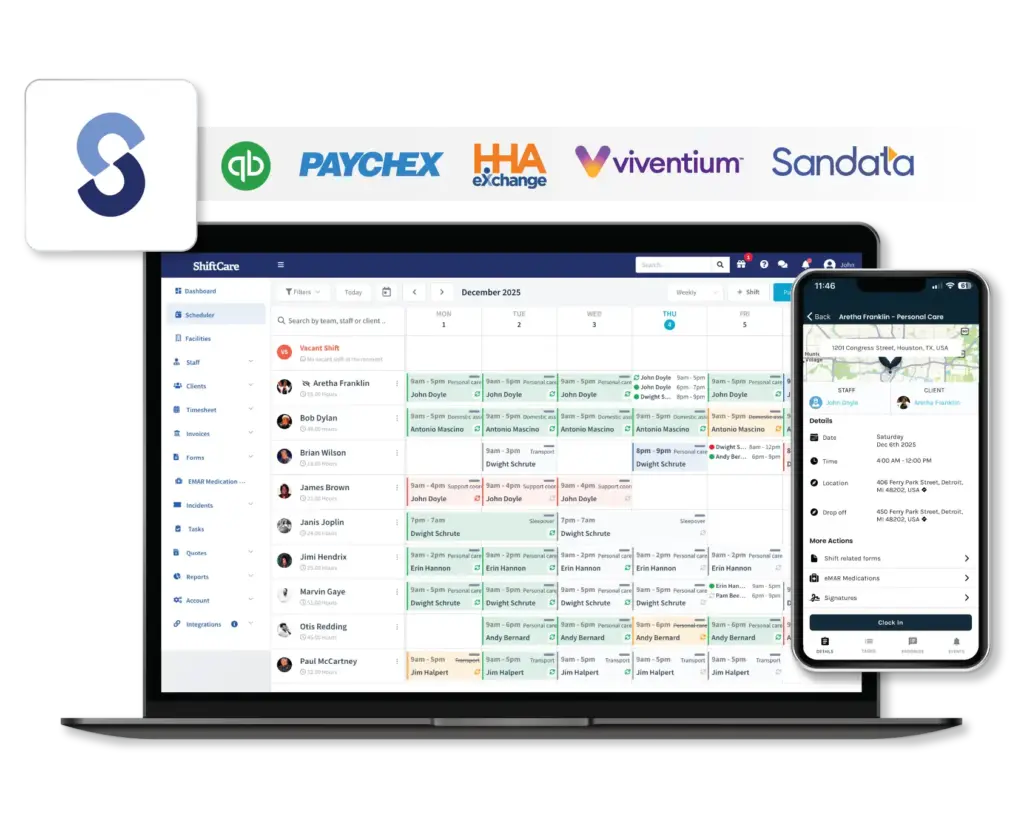
Notably, group home operators rarely stay at one site. Providers who start with one or two homes and grow to five, eight, or twelve need software that grows with them. Can you manage multiple sites from a single account with role-based access? Can you onboard new sites without starting from scratch on configuration? Software that works well for a single group home but becomes unwieldy at ten is a growth limiter.
How to Evaluate Group Home Software Before You Buy
Ultimately, before talking to vendors, document your current pain points. Where does your team spend the most administrative time? Where do errors or gaps in documentation occur most often? Request a trial period with real data from one of your sites. Involve support workers in the evaluation, not just managers. Ask for references from Canadian disability providers specifically.
Involve Support Workers in Your Evaluation
Before talking to vendors, document your current pain points. Where does your team spend the most administrative time? Where do errors or gaps in documentation occur most often? Request a trial period with real data from one of your sites. Involve support workers in the evaluation, not just managers. Software that looks good to administrators but is clunky for frontline staff will have low adoption and create resistance.
Ask for references from Canadian disability providers specifically. A platform that works well for aged care in Australia may not handle Ontario DSO reporting or CLBC requirements. The right software reduces the administrative load on your team, supports the documentation requirements of your funding bodies, and gives managers the visibility they need to run a safe, high-quality service. ShiftCare’s group home software is built for Canadian disability providers with shift management, incident reporting, participant records, and medication tracking designed for DSO, CLBC, and PDD compliance.
Start your free trial today and see how ShiftCare helps Canadian disability group homes manage operations and reporting.