ShiftCare vs ShareVision
ShareVision was built for nonprofits managing cases and grant reporting. ShiftCare was built for teams delivering care every day: scheduling caregivers, tracking visits, managing provincial billing, and keeping compliance tight — all from one platform. If your organisation runs shifts, not just case files, ShiftCare fits the job.
4.6/5 · Trusted by 8,000+ care providers across AU, US, CA & UK
Disclaimer: This comparison is based on publicly available information and customer feedback as of April, 2026. All comparative statements are intended to be truthful, accurate, and evidence-based. ShiftCare has no affiliation with or endorsement from ShareVision. If you represent ShareVision and believe any information here is inaccurate, please contact us.
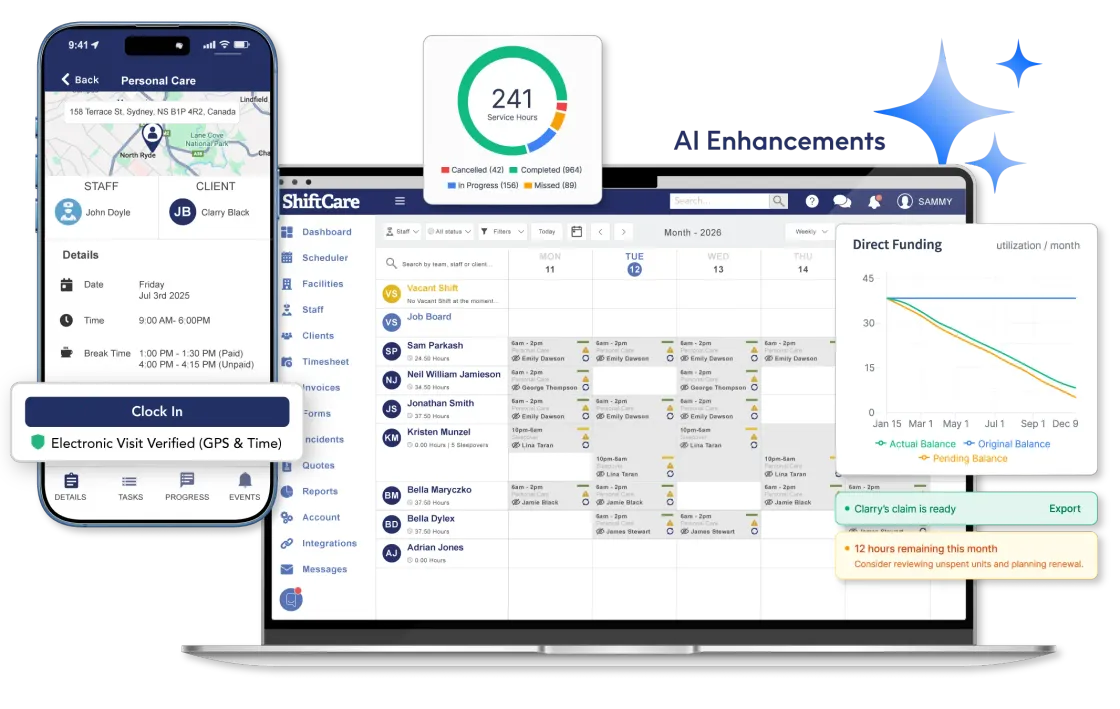
ShiftCare vs ShareVision: Feature Comparison
Features & Capabilities
| Feature | ShareVision | ShiftCare |
|---|---|---|
| Caregiver mobile app (iOS + Android) | ||
| Shift scheduling & rostering | Basic calendar; not shift-optimised | Built for shift-based care delivery |
| GPS clock-in / clock-out | Limited — verify | Geolocation-verified time logs |
| Provincial billing support | Not care-specific | Supports provincial billing workflows |
| Progress notes & care documentation | Case notes and forms | Mobile + web, templates included |
| Outcomes & goal tracking | Core differentiator | Goal-based care planning |
| Operational dashboard (real-time KPIs) | Custom reporting dashboards | Utilisation, capacity, compliance |
| AI Smart Visit Summaries | ||
| AI SmartMatch caregiver scheduling | ||
| Need to Know alerts before shift | ||
| Family / carer portal | ||
| Kilometre / mileage tracking | ||
| Staff self-onboarding via app | Requires admin setup | New staff onboard in mobile app |
| Payroll & HR integrations | Email integrations only — verify | Xero, Employment Hero |
| HIPAA / FOIPPA compliance | HIPAA + FOIPPA | HIPAA (verify FOIPPA) |
| Transparent online pricing | ||
| Free trial | Demo only | 7 days, no credit card |
| Self-serve setup |
Pricing at a Glance
| Feature | ShareVision | ShiftCare |
|---|---|---|
| Pricing model | Monthly flat rate; quote-based | Per user / month |
| Starting price | From ~$275/month | From $9/user/month |
| Free trial | ||
| Setup cost | Paid implementation required | Self-serve; paid packs optional |
| Lock-in contract | Subscription or licence — verify | Cancel anytime |
Why Care Providers Choose ShiftCare
ShareVision is a strong case management tool. But most Canadian home care and disability teams aren’t running case files – they’re running shifts. Here’s where ShiftCare fits better.
A native app your caregivers will actually use
ShareVision is browser-based. ShiftCare’s iOS and Android app lets care workers clock in with GPS, add progress notes, access client details, track kilometres, and confirm they’ve read critical client info — all on the go. No browser required.
Shift scheduling built around care, not projects
ShiftCare’s rostering is purpose-built for care delivery: recurring shifts, drag-and-drop adjustments, client preferences, and AI SmartMatch, which surfaces the right caregiver for every vacant shift automatically. ShareVision’s calendar tools are built for program management, not day-to-day shift logistics.
Up and running in 10 minutes, not 10 weeks
ShiftCare’s self-serve onboarding gets you building your first schedule in under 10 minutes. ShareVision’s highly customisable model requires form-building, workflow configuration, and paid implementation before your team can start work — and those costs add up quickly.
Pricing you can plan around
ShiftCare charges per user per month — transparent, published on the website, no implementation surprise. ShareVision starts at around $275/month and most organisations require a custom quote. For growing care teams, per-user pricing is more predictable.
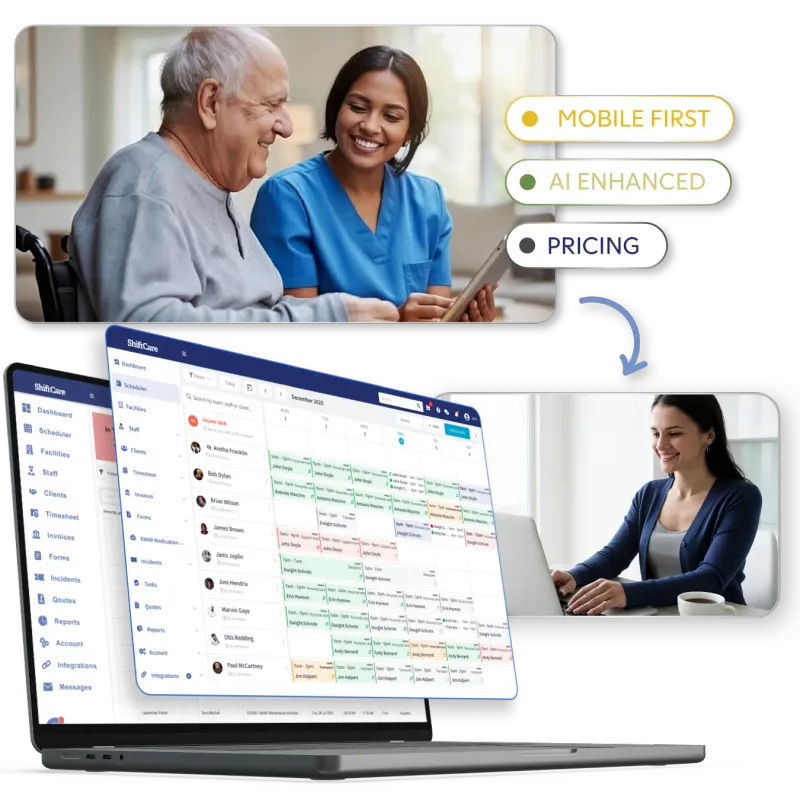
ShiftCare has significantly improved how we manage our staff. It’s allowed us to coordinate care in a streamlined and efficient way.
Who Each Platform is Built for
Choose ShareVision if…
- Your primary need is outcomes tracking and grant reporting for program funders.
- You run structured programs with complex documentation requirements and have time for a custom implementation.
- Your staff work from desktops and don’t need a mobile-first experience for shift delivery.
Choose ShiftCare if…
- Your team delivers shifts and needs scheduling, billing, and caregiver management in one place.
- Care workers need a mobile app to clock in, add notes, and manage their day on the go.
- You need to start quickly, without a months-long implementation project or unexpected setup costs.
- You want AI features that are live today, not on a roadmap.
Any questions?
What is ShareVision used for?
ShareVision is used to manage client information, services, outcomes, forms and reporting. It is primarily designed for nonprofit and social service organizations, including developmental disability providers. Its configurable tools can support specialized programs, although organizations coordinating frequent caregiver shifts may also need strong rostering, time-tracking and mobile workforce capabilities.
Which is better, ShiftCare or ShareVision?
Neither platform is better for every organization. ShiftCare may suit providers focused on caregiver scheduling, mobile visit management, documentation and billing. ShareVision may suit organizations needing configurable case management, outcomes tracking and program reporting. The right choice depends on how services are delivered and which workflows matter most.
Is ShareVision a CRM or a care management system?
ShareVision describes its platform as a nonprofit CRM and case management solution. It centralizes client records, services, forms, outcomes and reports, with configurable options for disability and community service organizations. Whether it meets your definition of care management depends on the scheduling, billing and field-care workflows your organization requires.
How much do ShiftCare and ShareVision cost?
ShiftCare publishes plan pricing, while ShareVision pricing depends on the selected package, configuration and implementation requirements. Compare the total expected cost rather than only the starting subscription. Include data migration, customization, training, integrations, support and the internal staff time required to configure and maintain each system.
Is ShiftCare or ShareVision easier to use?
Ease of use depends on your workflows and the amount of configuration required. ShiftCare may feel more direct for teams managing shifts and mobile caregivers, while ShareVision’s flexibility may require additional setup. Ask administrators and frontline staff to complete the same everyday tasks in both systems before deciding.
Can caregivers use ShareVision on their phones?
Yes, caregivers can access ShareVision through a mobile web browser because the platform is designed to work across internet-connected devices. However, browser access is different from using a dedicated mobile app. Test the tasks caregivers perform during visits, including viewing information, entering notes and recording time, on their usual devices.
Can I switch from ShareVision to ShiftCare?
Yes, switching is possible, but the process depends on what ShareVision data can be exported and what ShiftCare can import. Review client records, staff profiles, notes, forms, schedules, documents and reporting history. Test a small migration, verify permissions and keep accessible backups before moving the entire organization.
Ready to see the difference?
Thousands of care providers across Canada run their scheduling, billing, and compliance on ShiftCare. Start your free 7-day trial — no credit card required.