- HubSpot Integration
Client Onboarding Made Simple.
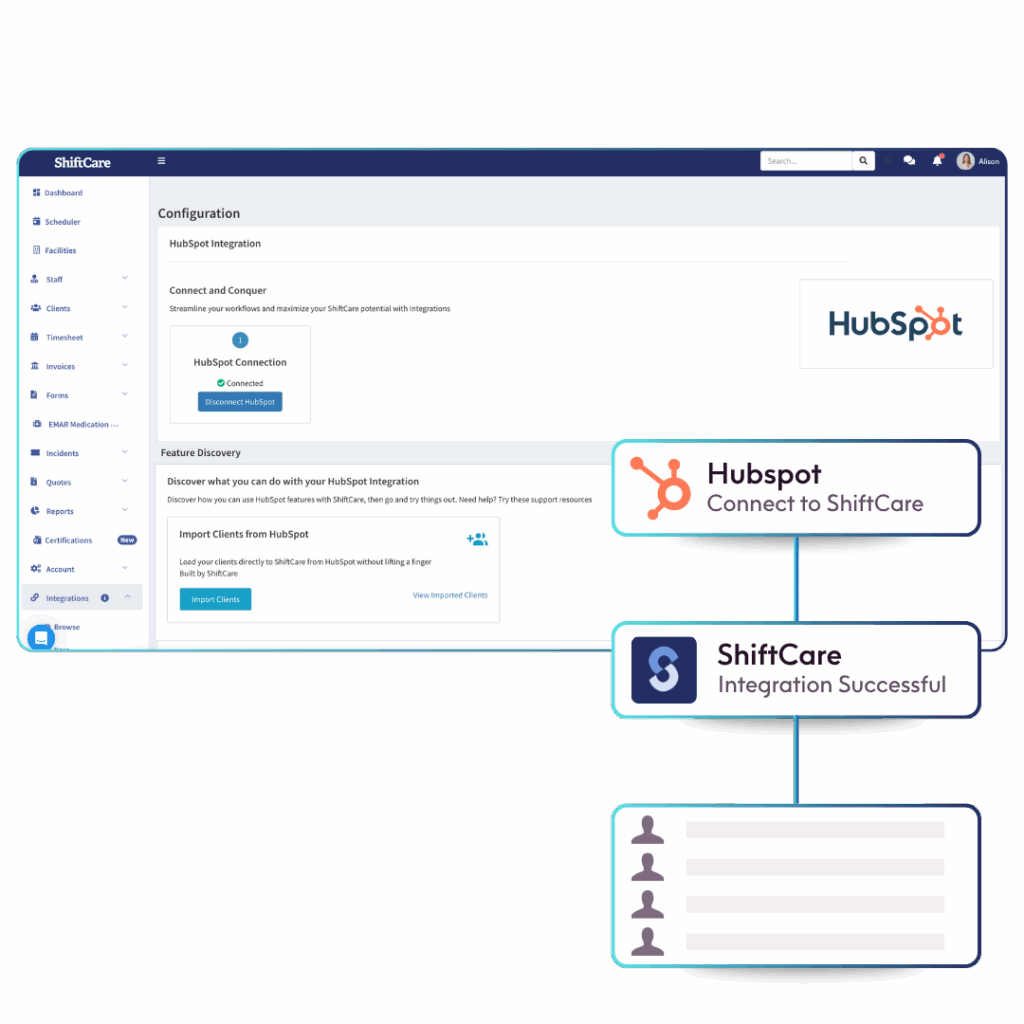
Supercharge your client onboarding process with HubSpot integration. Automatically sync your data with your client records on ShiftCare. Instead of jumping between multiple spreadsheets and manually entering contact information, you can now easily update their stage in the sales funnel.

No credit card needed, no commitment
No-Hassle Sales and Care Management CRM Data Syncing.
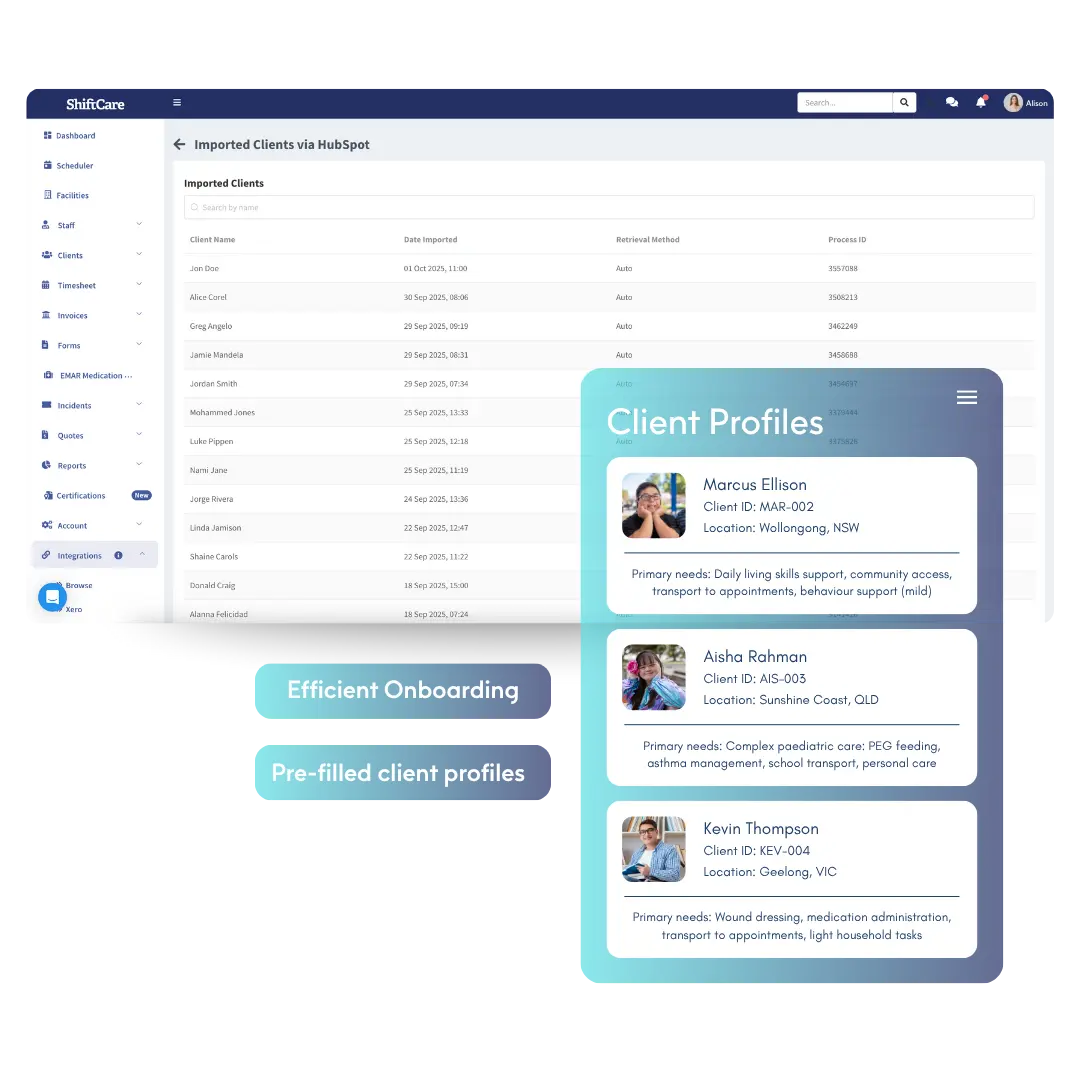
Stop wasting time copy-pasting client information! ShiftCare’s HubSpot Integration keeps your sales and care CRM tools aligned – cutting extra admin. When a deal hits your chosen stage, ShiftCare automatically populates a new client profile.
- Pre-Filled Client Profiles: Since client records show up with the key fields already completed, the handover is much faster for your team.
- Organised Field Mapping: Select which HubSpot contact fields you want carried over into ShiftCare, e.g., names, numbers, notes, and more
- Efficient Onboarding: Maintain a smooth pipeline transfer with complete, care-ready client profiles from the start.
Automate Creating Client Records.
Leave behind manual onboarding with ShiftCare’s HubSpot integration. Just set your preferred deal stages in HubSpot — supporting you with automatic and scalable workflows.
- Pipeline and Stage Triggers: Define the corresponding actions for every deal stage.
- Consistent Processes: Avoid onboarding delays and missed handovers by standardising when and how clients are added to ShiftCare.
- Scalable Workflows: Growing teams can streamline onboarding and work in sync without compromising ownership.


Full Control Over Data Sync Stages.
Your workflow isn’t static, so your integration workflows shouldn’t be either. You can easily reconfigure your setup as your sales stages, teams, or processes change.
- No-Code Setup, Admin-Level Control: Configure everything in just a few clicks—no developer experience required.
- One-Time Setup: Configure your integration once, and then let it do the heavy lifting moving forward.
- Future-Proof: Scale your setup and integration as your operations grow.
Automate Client Intake From Sales to ShiftCare
Your workflow isn’t static, so your integration workflows shouldn’t be either. You can easily reconfigure your setup as your sales stages, teams, or processes change.
Any questions?
What is ShiftCare’s HubSpot Integration?
The HubSpot integration syncs client details into ShiftCare once a transaction progresses in your timeline. It’s an efficient way to automate client onboarding.
How does the integration work?
Turn on HubSpot Integration in ShiftCare, map your desired fields, and select which pipeline stages trigger client creation. From there, the app should populate new client information automatically.
Can I choose which fields sync?
Yes, the HubSpot integration lets you choose which contact fields appear on ShiftCare. It’s an efficient way to keep irrelevant information from flooding client records.
Do I need technical expertise to set this up?
No, setting HubSpot integration on ShiftCare is simple. It only takes a few minutes. Open your ShiftCare account, go to Integrations, and select HubSpot.
Does it work with multiple pipelines?
You can select pipelines and stages that fit your sales process. However, you can only have one pipeline and stage active at a time.
Is the HubSpot Integration included in my ShiftCare subscription?
Yes, integrations are included at no additional cost to your subscription.
How do I get started with HubSpot Integration?
Log in to your ShiftCare account, head to Integrations > Browse, and toggle on the HubSpot Integration. From there, configure your field mappings and pipeline triggers. After that, you’re ready to go!