PayCat Integration
Know your award-accurate margins before you fill in shifts.
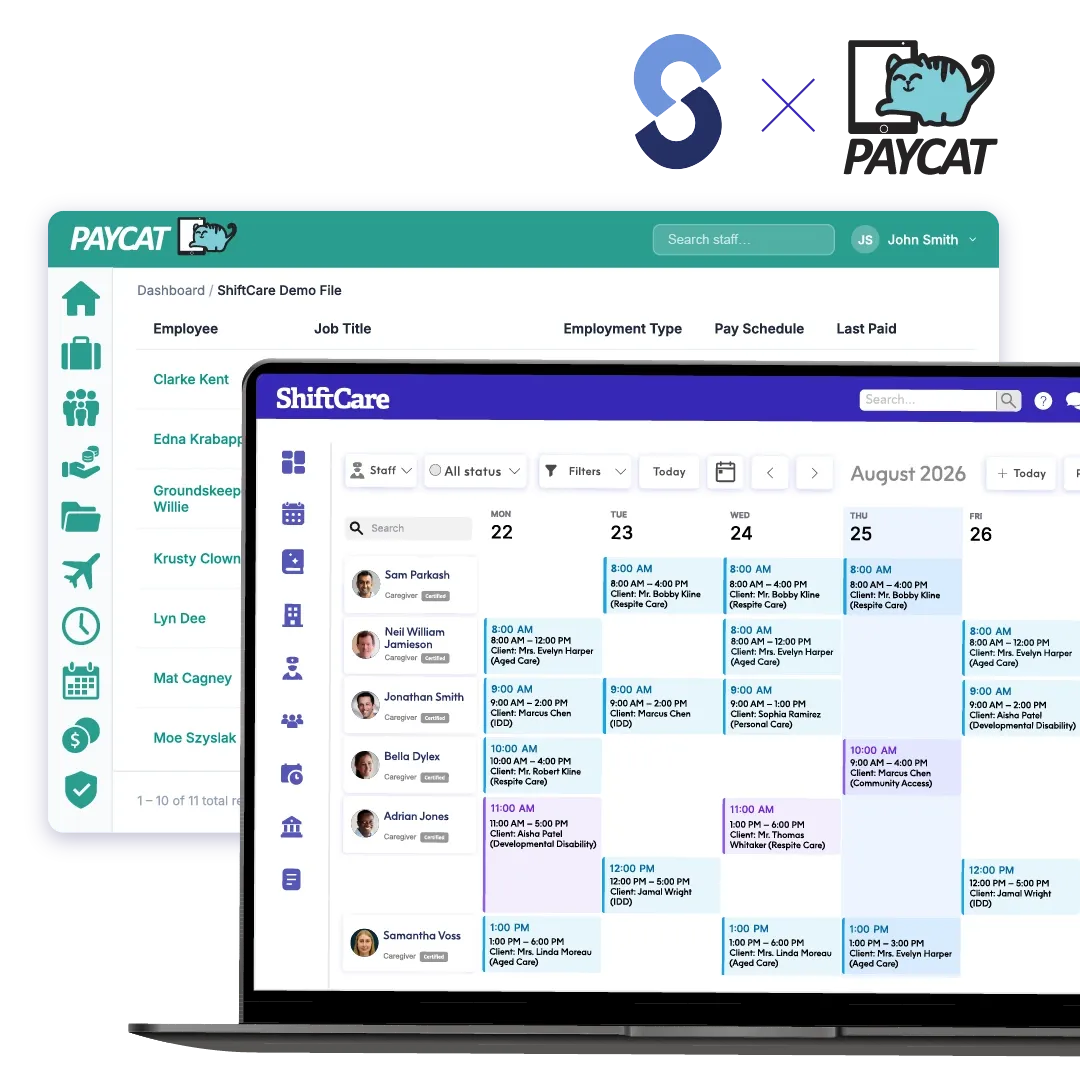
ShiftCare now shows the cost, revenue and margin of every shift directly on the Scheduler. For PayCat customers, ShiftCare sends each shift to PayCat’s costing engine and displays the award-accurate cost it returns, paired with the revenue you bill. Coordinators and owners see whether a shift makes money while they’re still rostering.
No credit card needed
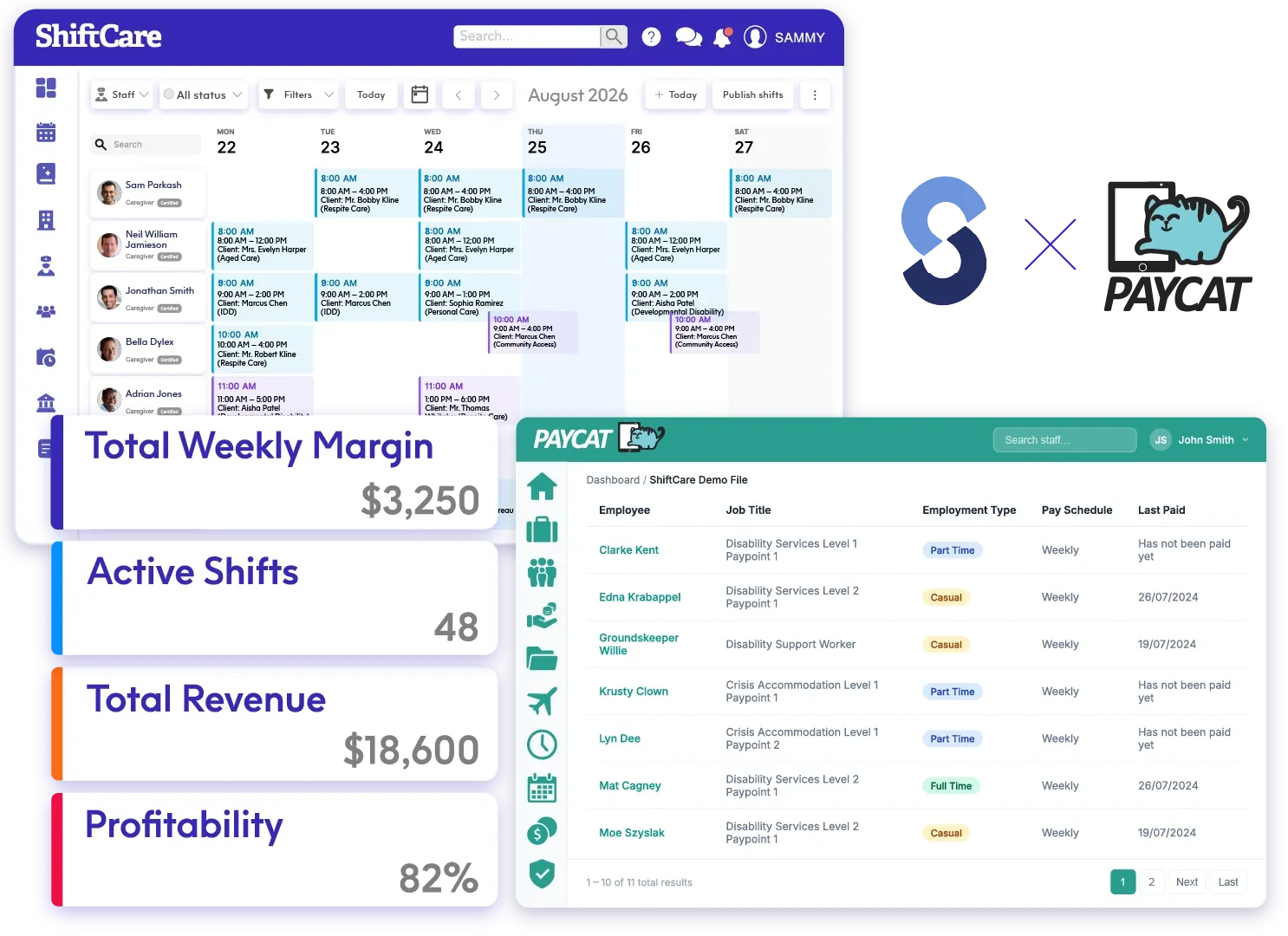
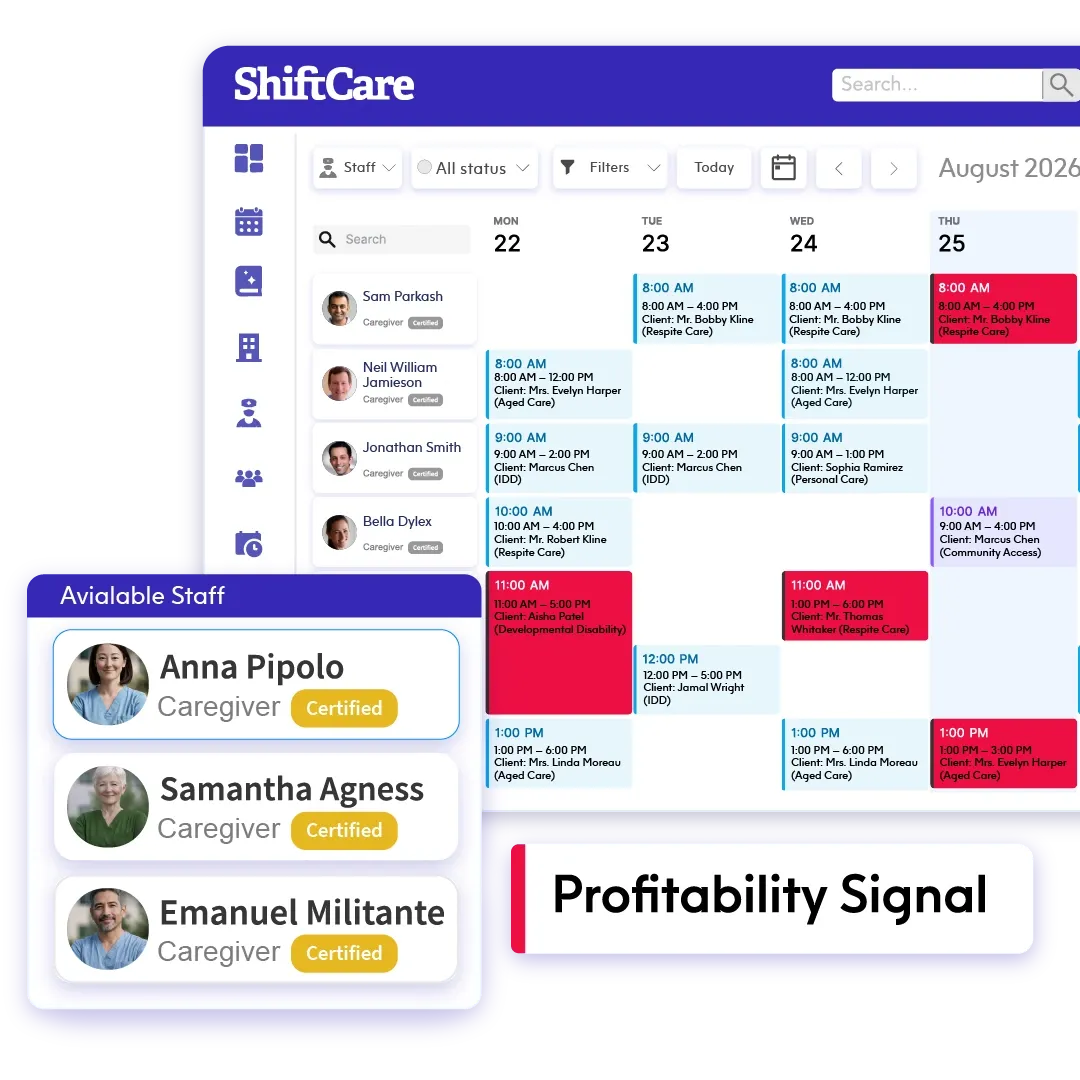
Loss-making shifts are visible before they're worked.
Care businesses run on thin margins. In a complex award environment, the true cost of a shift covers base rates, penalties, overtime and allowances. Calculating that by hand is error-prone, which is exactly why these operators use PayCat. But until now, that award-accurate cost stayed in the payroll world.
-
Per-shift margin on the tile:
Cost, revenue, margin and profit on every shift in the Scheduler. You can organise them on tiles, in list view, and in the shift's Financials tab.
-
Profitability signal:
Each shift shows as profitable, low-margin or loss-making, based on thresholds you configure.
-
Aggregate KPI band:
Total cost, revenue and margin across everything in view, with counts of low-margin and loss-making shifts.
Across hundreds of shifts a week, small invisible losses become a real hole in the P&L.
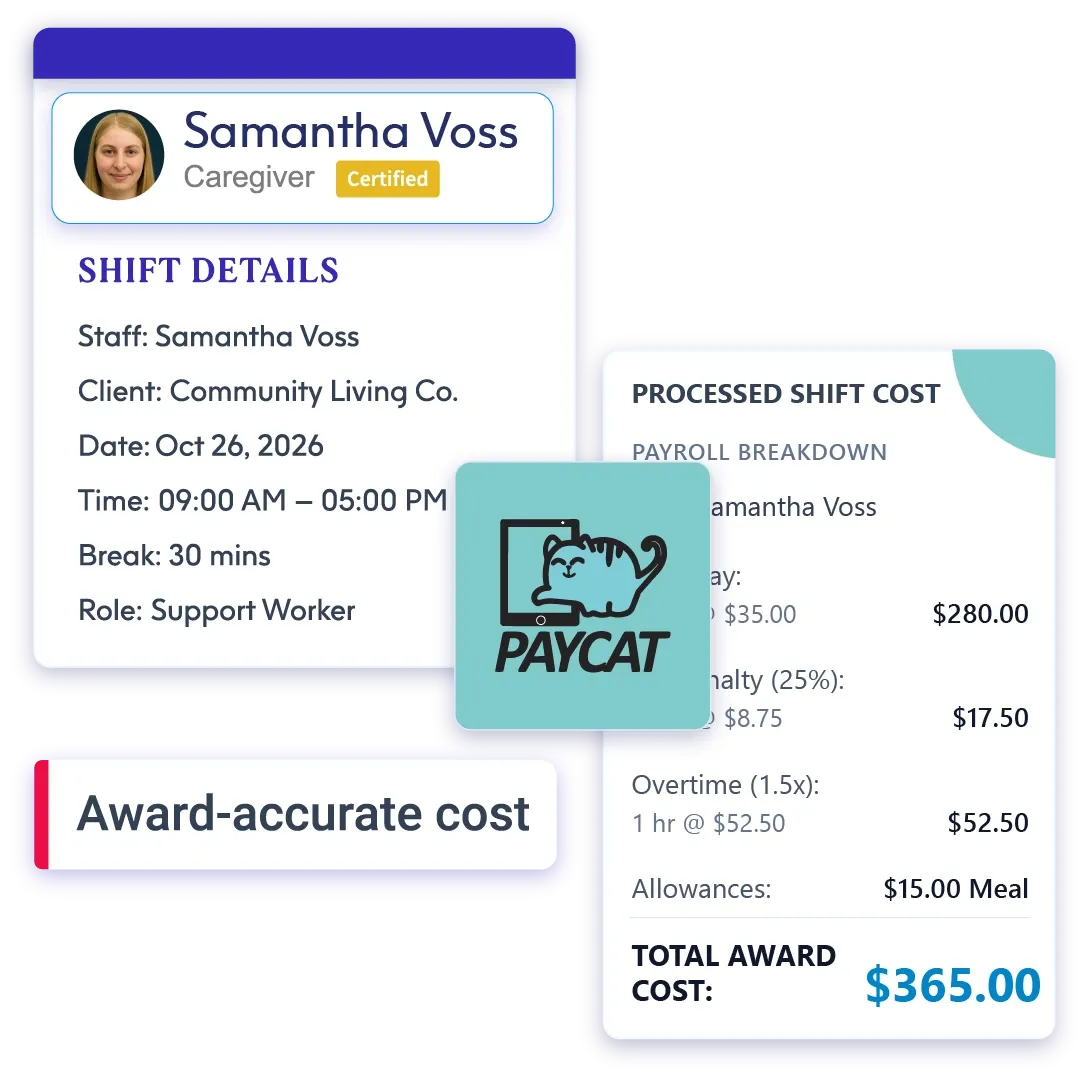
The cost comes straight from PayCat's award-interpretation engine.
ShiftCare sends each shift to PayCat’s costing engine and shows the award-accurate cost it returns. The same interpretation logic you already rely on for payroll now drives the cost figure on your Scheduler. Complex awards are handled for you, not estimated.
-
Award-accurate from the source:
The cost comes from PayCat's own interpretation engine.
-
Complex awards, handled for you:
Base rates, penalties, overtime and allowances are interpreted by PayCat, not approximated.
-
Also in the Shift Details Report:
Cost, Revenue, Profit $ and Profit % columns available for reporting and review alongside the Scheduler.
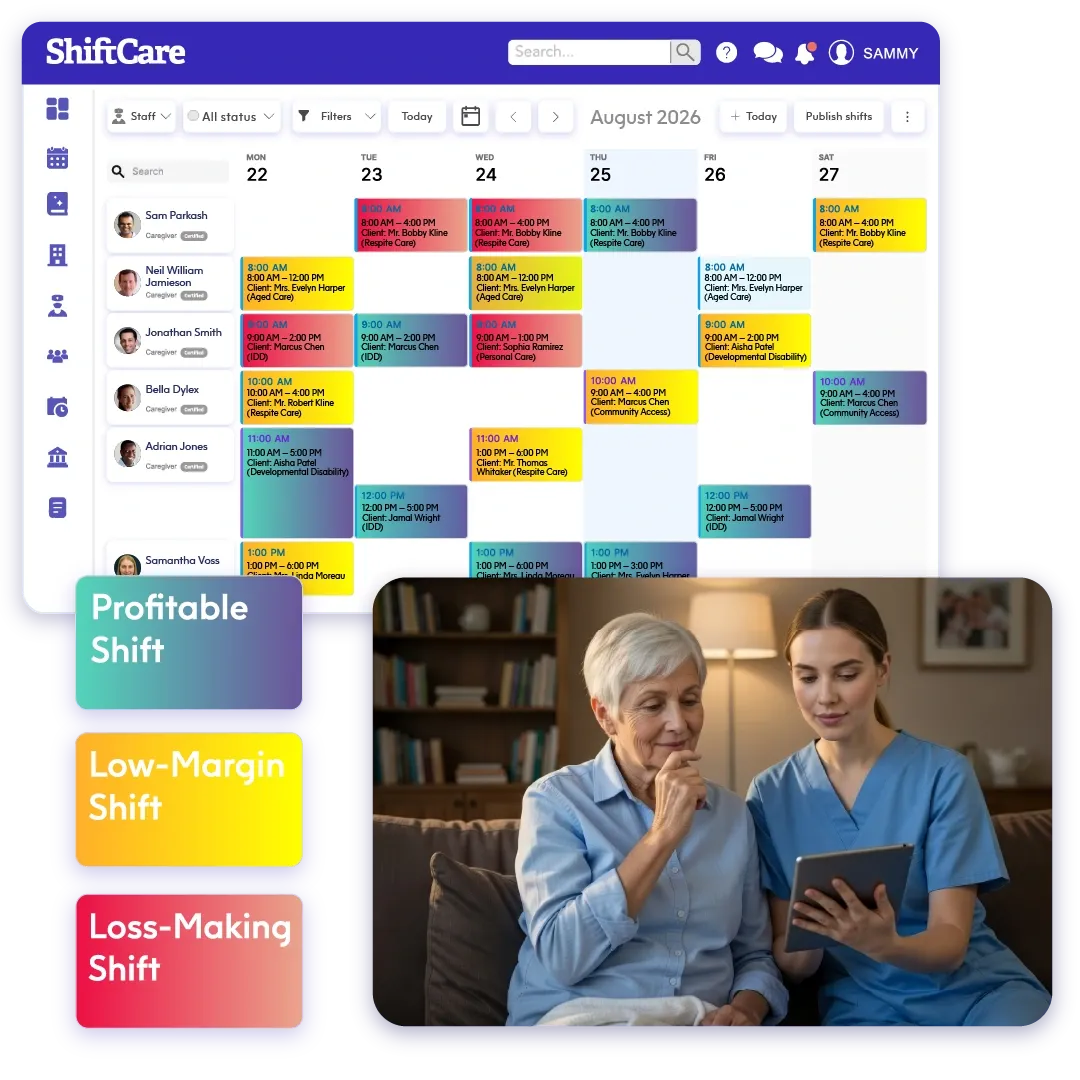
Profitability status rolls up across your whole roster.
Owners can set thresholds for what counts as low-margin or loss-making. From that point, every shift in the roster shows a clear status. You can view the aggregate across a whole day, week or period and then total the cost, revenue and margin with counts of shifts at each status level.
-
Configurable thresholds:
Set your own margins for profitable, low-margin and loss-making across your roster.
-
Aggregate KPI band:
Total cost, revenue and margin rolled up across everything in view, with shift counts by status.
-
A signal the whole team can act on:
Every coordinator sees which shifts need attention without needing to run a report.
Owners see the dollars, while your team sees the signal.
Only the account owner sees dollar figures. Admins can be given a profitability signal (e.g., profitable, low-margin, or loss-making) so the whole team can roster with cost awareness. They won’t ever see what anyone is paid.
-
Owner-only dollar figures:
Cost, revenue and margin amounts visible to the account owner only, by default.
-
Indicator mode for Admins:
Admins see a profitable/low-margin/loss-making signal with no dollar amounts and no pay exposure.
-
No pay exposure:
The rostering team gains financial awareness without knowing what anyone earns.
Everything in Shift Costing on the Scheduler.
One connected view of cost, revenue and margin, from the Scheduler to your reports.
-
Per-shift cost, revenue, margin and profit:
On tiles, in list view, and in the shift's Financials tab.
-
Profitability signal:
Profitable / low-margin / loss-making, with owner-configurable thresholds.
-
Aggregate KPI band:
Total cost, revenue and margin across the roster, with shift counts.
-
Owner-only dollars + Admin indicator mode:
Cost awareness without exposing pay.
-
Historical shift costing:
Past shifts can be costed too so the catch-up runs in the background.
Ready to roster with award-accurate margins?
Your award interpretation already lives in PayCat. Shift Costing puts that cost directly on the Scheduler, so you can see which shifts make money before you fill them.
Any questions?
Does it handle our complex awards?
Yes, the cost comes from PayCat’s own award-interpretation engine, which is the same system you already use, rather than a simplified estimate in ShiftCare.
Will my coordinators be able to see what staff are paid?
No, only the account owner sees dollar figures. Admins can be limited to a profitable / low-margin / loss-making signal with no amounts.
Does this add more admin to manage?
Once PayCat Connect is connected, a business is selected, and staff are linked to their PayCat employees, costing runs automatically as shifts are saved. No ongoing setup required.
What happens to our existing shifts?
Historical shifts can be costed too. The catch-up runs in the background.
Does the PayCat path include superannuation?
No, superannuation is not included on the PayCat path. If you need super in your cost figures, the Xero AU integration includes it at 12% by default.