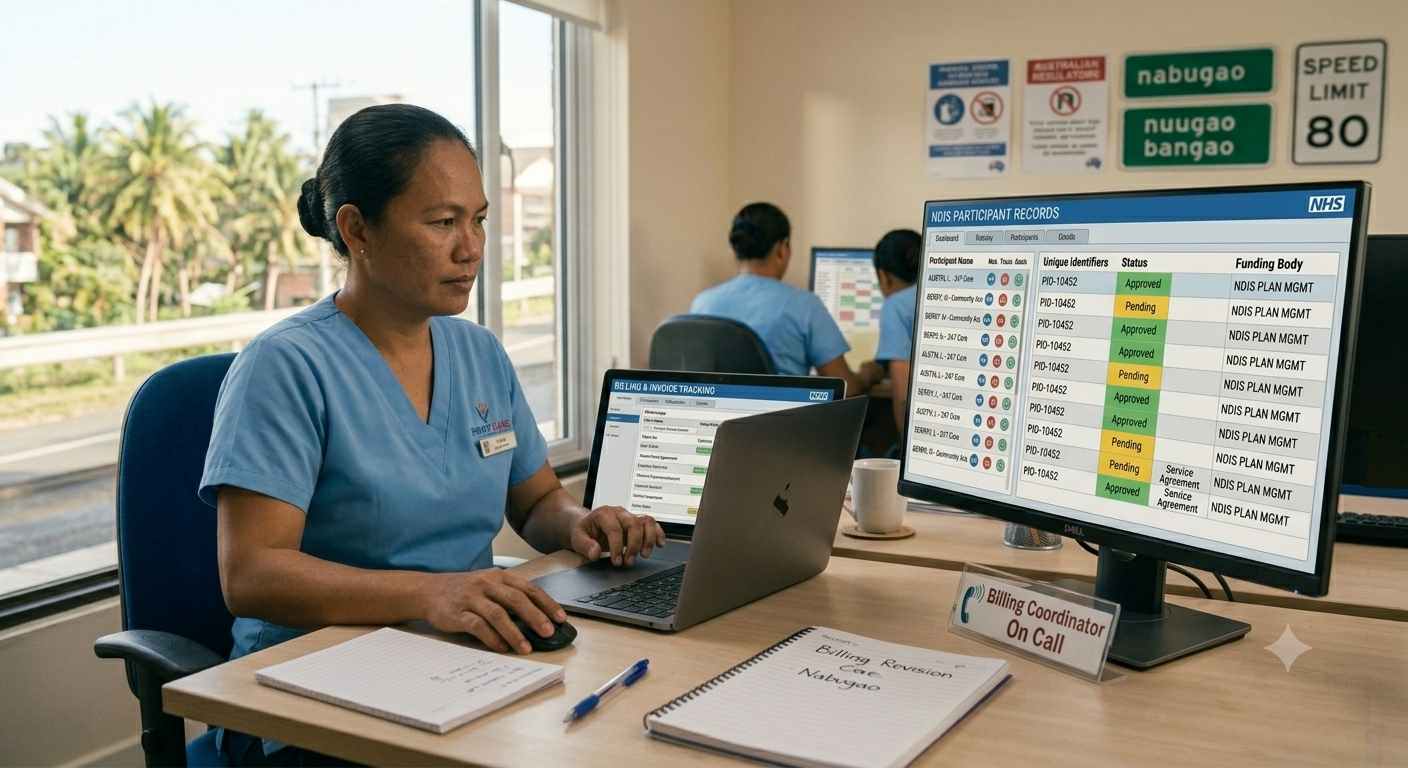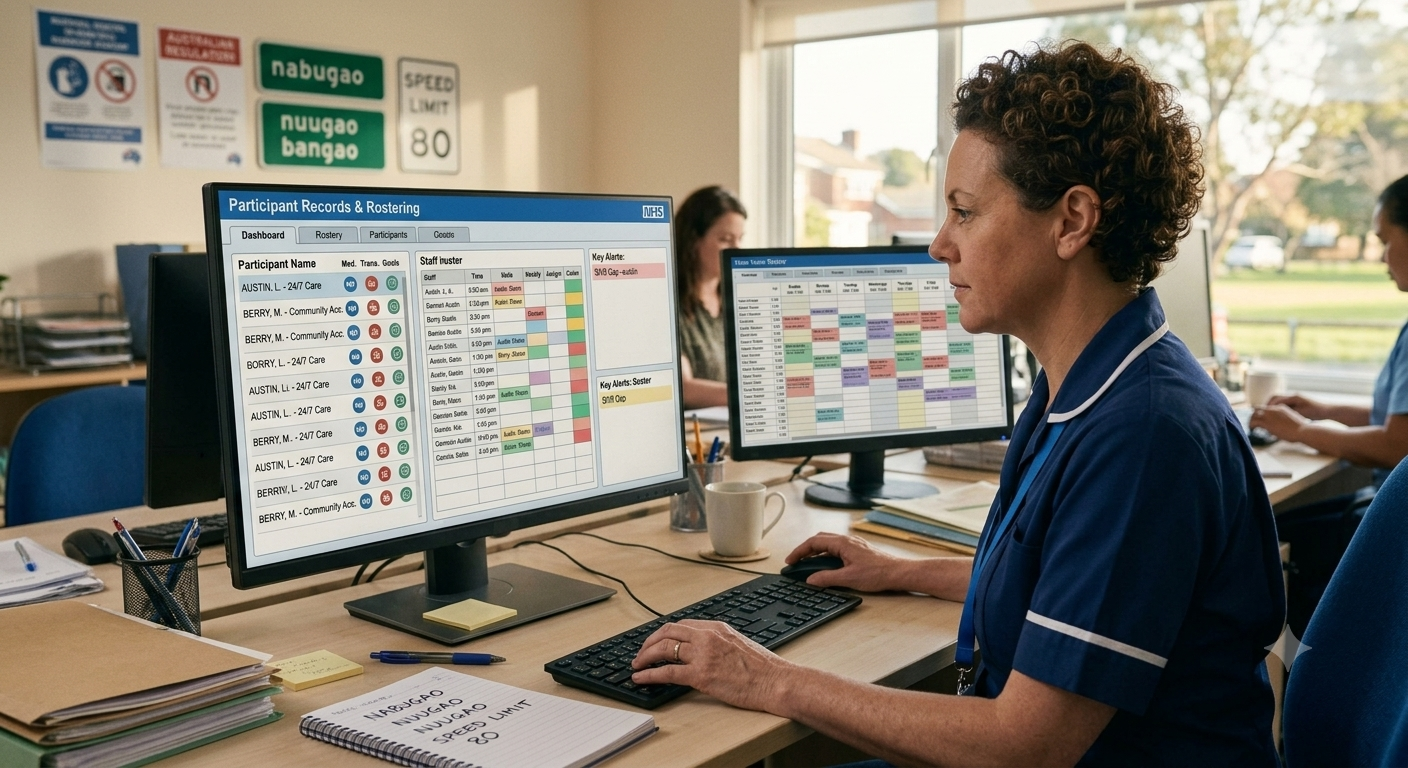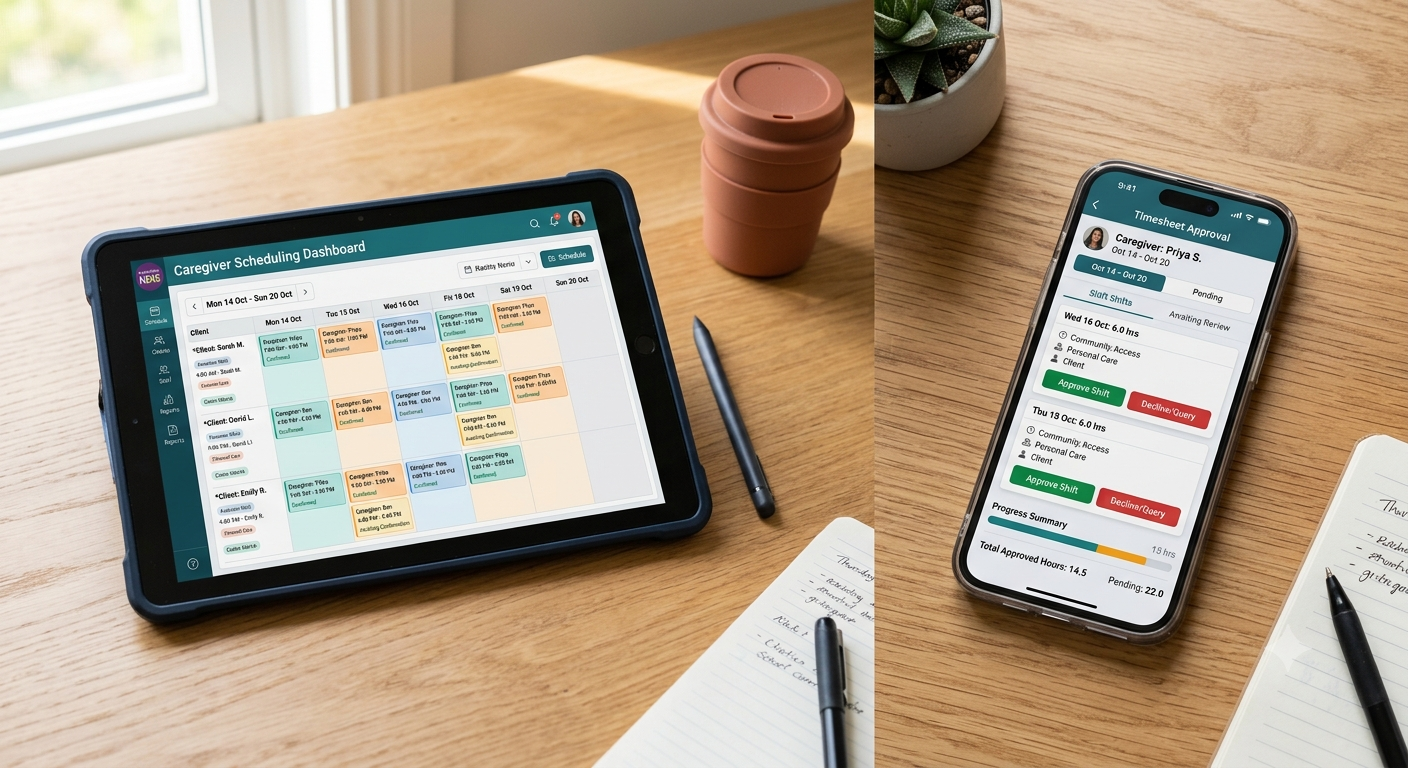
ShiftCare’s June 2026 releases bring improvements across scheduling, compliance, billing, AI, and integrations for Australian providers. From Support at Home API updates to Xero leave syncing and Employment Hero qualifications sync, this month’s updates are built to reduce manual admin and keep your operations audit-ready.
Here’s a snapshot of what’s new.
What we released in Australia in June
| Auto-Approval Timesheet Labelling | Auto-approved timesheets are now clearly labelled, so admins can tell at a glance which entries were approved automatically versus manually. |
| Cloud Assess: Existing Accounts SSO | Single sign-on now works for all Cloud Assess accounts, including those connected manually, so staff get seamless access regardless of how the account was set up. |
| Cloud Assess: Account Provisioning & SSO | Cloud Assess accounts can be provisioned automatically with single sign-on built in, giving staff a smoother, ready-to-use connection from day one. |
| AI Price Book Limit Notification | Admins get an automated email alert when a client authorisation reaches 100% of its price book limit, so they can act before service delivery is blocked. |
| Hide Plan Upgrade Modal for Subscribers | Active subscribers no longer see the plan upgrade prompt on the billing page, keeping it out of the way for those who have already subscribed. |
| Require Facility on Tasks | Make the facility field mandatory when staff create tasks, so every task carries the right cost centre and finance avoids mis-claims. |
| Care Signals Improved Triage | The Care Signals triage queue gains Acknowledge and Needs Follow Up outcomes, richer signal views, and one-click sharing, helping admins act on client signals faster. |
| Require Facility on Shift Creation | Require a facility when creating shifts, so coordinators always attach the right cost centre and keep scheduling data clean. |
| Scheduler Pagination | The scheduler now shows more staff per page, so coordinators managing large rosters spend less time clicking through pages. |
| Recurring Billing – Pro Rata | Recurring billing now pro-rates the first invoice to your billing week, so weekly SIL items line up correctly instead of being permanently offset. |
| Require Team Restriction on Job Board Shifts | Require a team when posting job board shifts, so multi-location providers keep shifts visible only to the right staff. |
| Mandatory Documents (Document Mgmt P2) | Mark qualifications and client document types as mandatory, then view, filter, and report on them across the Document Hub and Compliance Reports. |
| Mobile App Colour & Navigation Refresh | The mobile app gets refreshed colours and navigation, giving carers a cleaner, easier-to-move-through experience. |
| Support at Home Care Management API | The Support at Home Care Management page now sources balances from the QuickClaim API, giving providers authoritative Services Australia figures and a clearer view of unclaimed work. |
| Xero Leave Sync – Auto Sync (Phase 1) | Approved leave now syncs automatically to Xero, saving admins from re-entering leave in their payroll system. |
| Employment Hero / PayCat Qualifications Sync | Staff qualifications now sync to PayCat and Employment Hero Payroll, keeping records aligned across ShiftCare and your payroll system. |
| Quick Shifts | Create a shift right from the scheduler timeline with an inline Quick Shifts popover, skipping the full Add Shift modal for faster rostering. |
| Xero Leave Sync – Leave Type Mapping (Phase 0) | Map ShiftCare leave types to Xero, laying the groundwork for accurate automated leave syncing to your payroll. |
| BECS Direct Debit – Coupon Support | Apply promo codes during BECS Direct Debit sign-up, so direct-debit customers get the same coupon discounts as card payers. |
| AI Quote Expiry Reminders | Set up automated reminders that alert clients as their quotes approach expiry, lifting acceptance rates and cutting manual follow-up. |
| Enhanced Staff Import via CSV | An enhanced CSV staff import makes it easier to bring large numbers of staff into ShiftCare in one go. |
| Client Status – Hospitalised | Mark clients as temporarily Hospitalised with start and end dates, and ShiftCare automatically reverts the status when the period ends. |
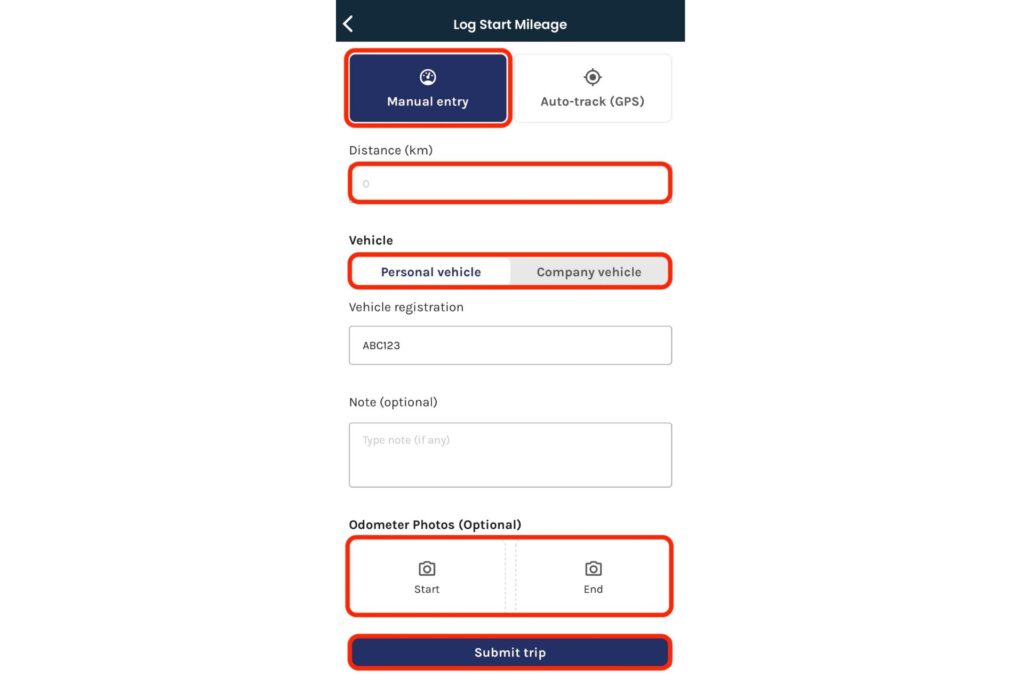
| Mileage Phase 5 – Manual Entry | Carers can now log travel distance manually, complementing GPS tracking for times when automatic capture isn’t available. |
| Timesheet Auto / Manual Pill | Timesheets now show an Auto or Manual pill, making it clear at a glance how each entry was recorded. |
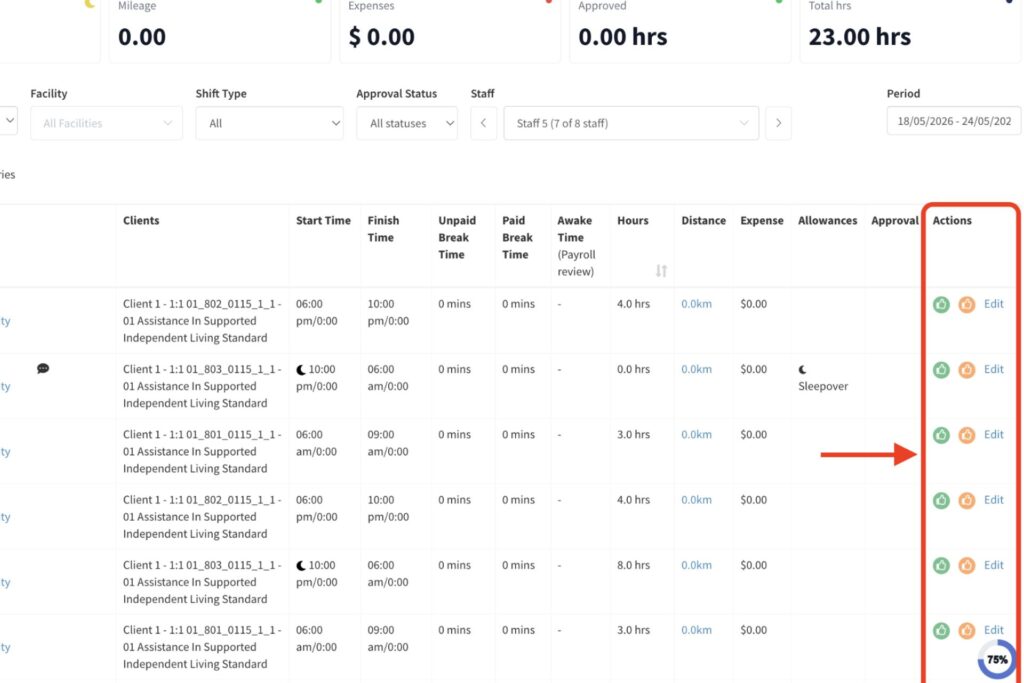
Auto-Approval Timesheet Labelling
Auto-approved timesheets are now clearly labelled in the admin view, distinguishing system-approved entries from those manually reviewed. Admins no longer need to cross-reference audit logs to confirm how a timesheet was processed during payroll reconciliation. The label appears directly in the timesheet report without additional configuration, and is most useful for providers running high shift volumes where auto-approval is common.
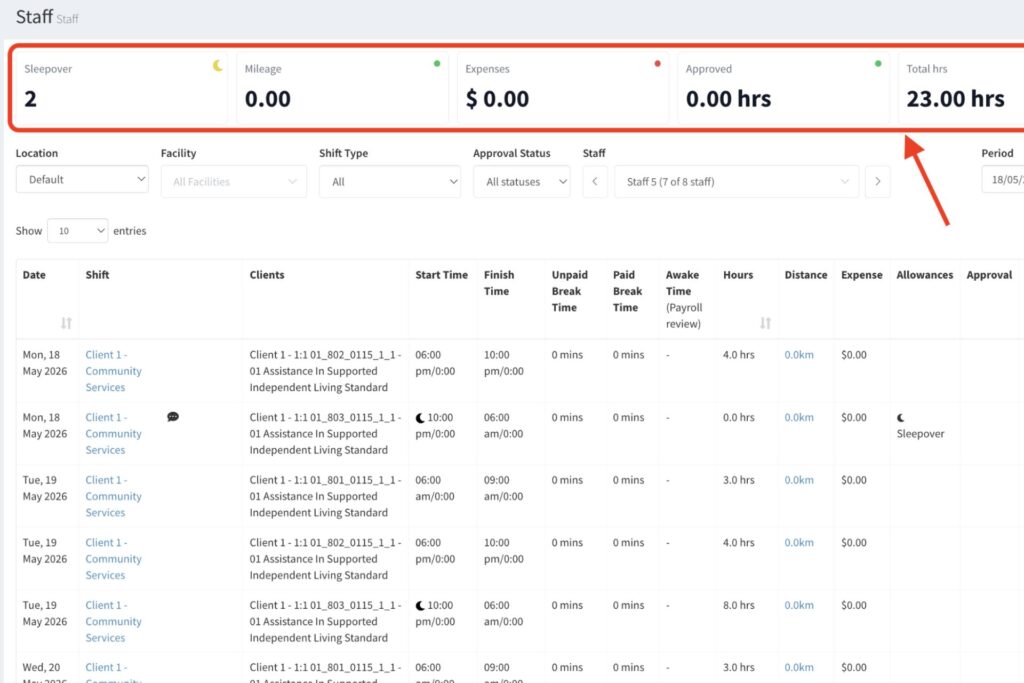
Timesheet Auto / Manual Pill
Each timesheet entry now displays an Auto or Manual pill indicator at the record level, making the approval method visible without opening separate audit logs. Admins reviewing timesheets for compliance or payroll queries can confirm how each entry was recorded directly from the timesheet view. The pill complements the Auto-Approval Timesheet Labelling update by surfacing the same information within individual entries, not just reports.
Cloud Assess: Existing Accounts SSO
Single sign-on now works for all Cloud Assess accounts connected to ShiftCare, including those set up manually before SSO was available. Staff no longer need separate login credentials to access Cloud Assess from within ShiftCare. Providers who connected Cloud Assess during the early integration period and were excluded from the SSO workflow are covered by this update automatically.
Cloud Assess: Account Provisioning & SSO
New Cloud Assess accounts can now be provisioned automatically with single sign-on built in from the start. Admins no longer need to configure the connection manually after account creation, removing a recurring setup step for providers who onboard new staff into Cloud Assess regularly. Staff get a ready-to-use connection from day one without additional intervention from the admin team.
AI Price Book Limit Notification
ShiftCare now sends an automated email alert when a client authorisation reaches 100% of its price book limit. Admins receive the notification before service delivery is affected, giving time to request a new authorisation or adjust scheduling before a gap occurs. The alert triggers at the exact threshold rather than requiring manual monitoring of authorisation balances. It’s relevant for NDIS and Support at Home providers managing tight funding envelopes per client.
AI Quote Expiry Reminders
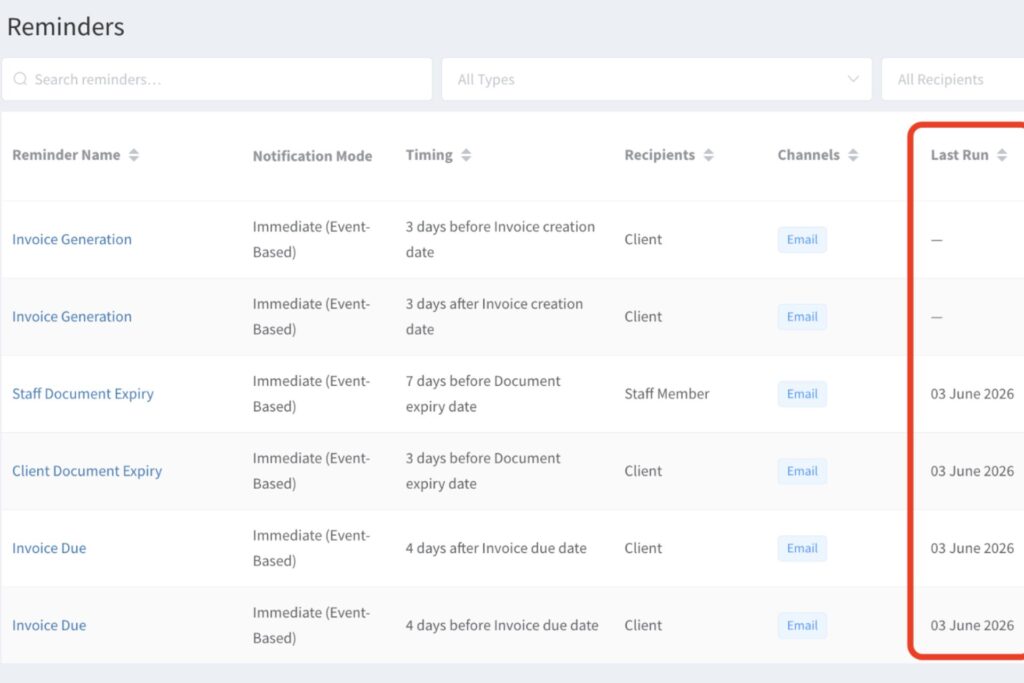
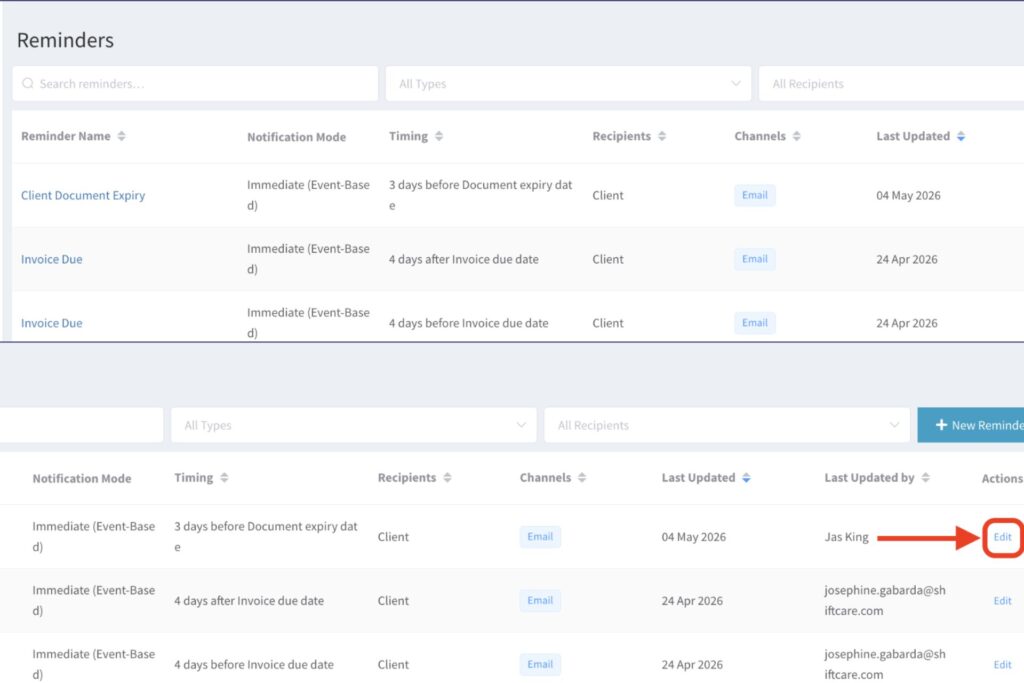
Automated reminders can now be configured to alert clients as their quotes approach expiry. The reminder cadence is set by the admin and triggers based on the quote expiry date stored in ShiftCare. For providers managing a high volume of active quotes, automated reminders reduce manual follow-up and improve acceptance rates before funding lapses.
Care Signals Improved Triage
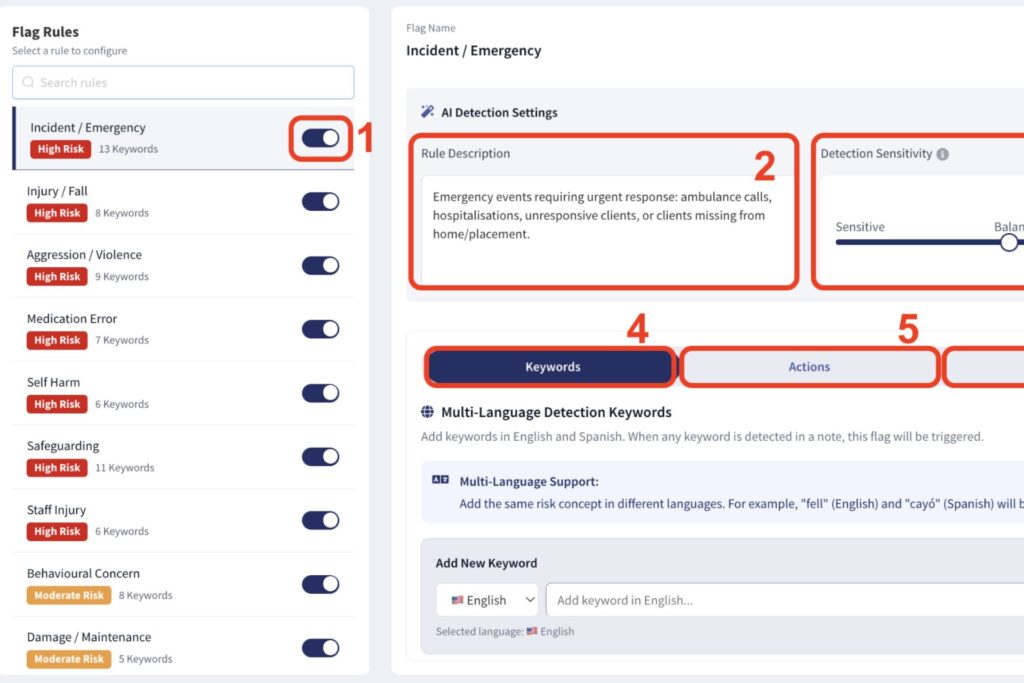
The Care Signals triage queue now includes two additional outcome options: Acknowledge and Needs Follow Up. Richer signal views and one-click sharing make it faster to act on flagged client signals and loop in the right team members. The expanded outcomes allow for more granular tracking of how signals are being managed across the caseload, and carry the most value for providers using Care Signals across large participant cohorts where signal volume is high.
Require Facility on Tasks
The facility field can now be made mandatory when staff create tasks in ShiftCare. Every task will carry a cost centre before it is saved, preventing tasks from being created without the data finance needs to process claims accurately. Multi-site providers where tasks without a facility assignment create downstream billing errors or reporting gaps will get the most out of this setting.
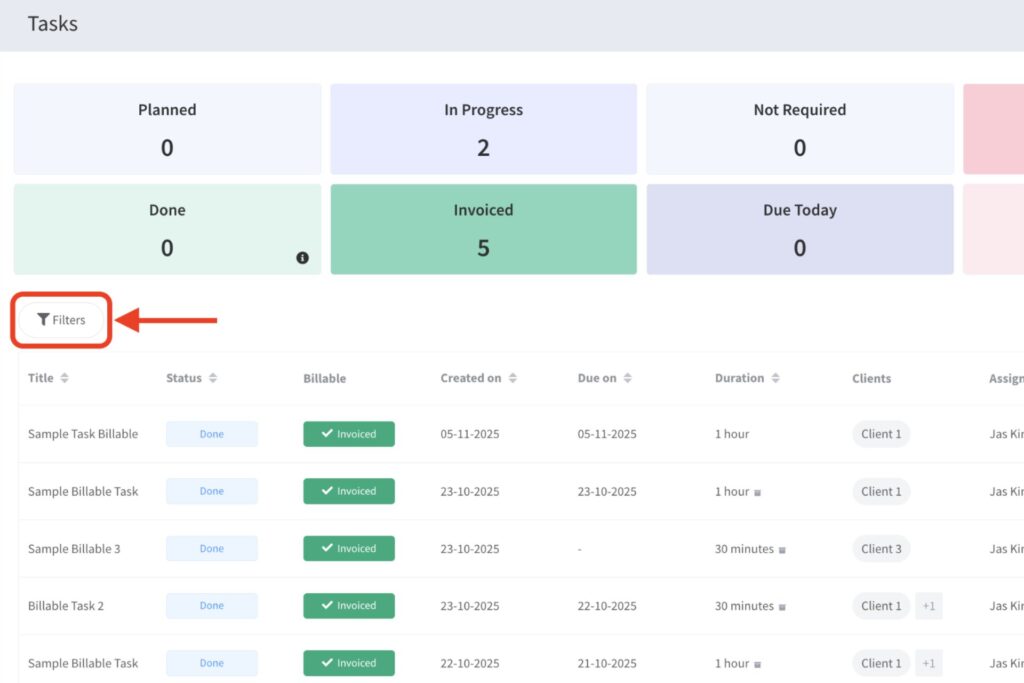
Require Facility on Shift Creation
The facility field can now be set as mandatory at the point of shift creation in the scheduler. Coordinators are prompted to assign a cost centre before the shift is saved, keeping scheduling data clean and ensuring billing reports reflect the correct facility from the outset. Providers running multiple sites or funding streams will find this prevents mis-assigned shifts that otherwise require correction at invoicing.
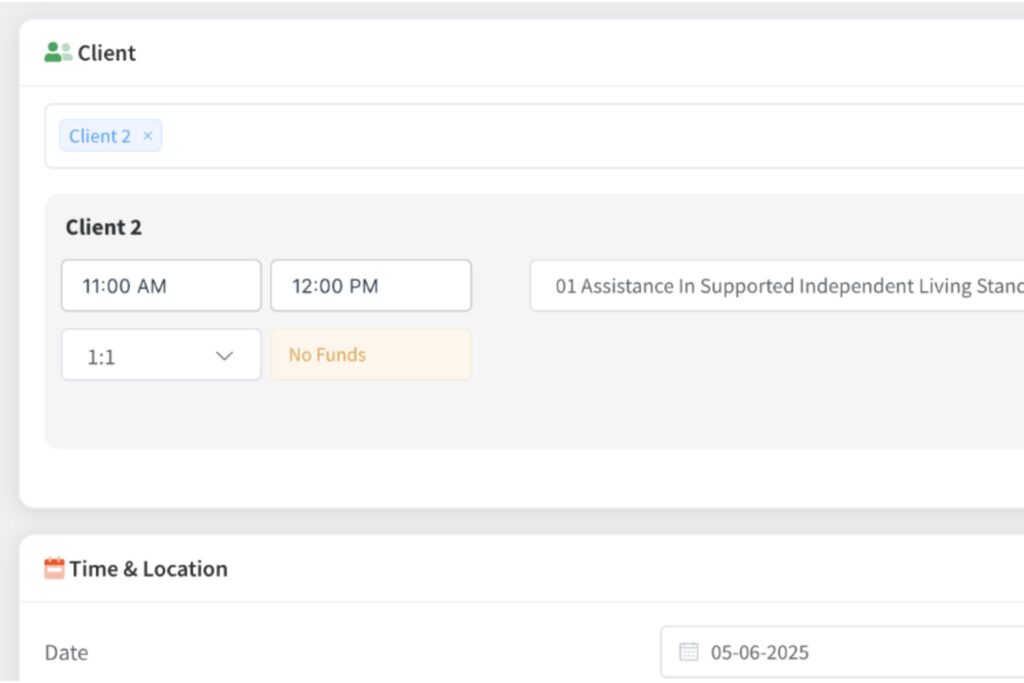
Scheduler Pagination
The scheduler now displays more staff per page, reducing the number of page clicks required to navigate large rosters. Coordinators managing high staff-to-client ratios can review the full daily roster faster without changing their underlying scheduling workflow. The increased page density applies automatically across all accounts.
Require Team Restriction on Job Board Shifts
A team can now be required when posting shifts to the job board, restricting shift visibility to the relevant staff group. Multi-location providers can prevent shifts from appearing to staff at the wrong site, reducing incorrect shift pickups. The setting is configured per shift at the time of posting and integrates with existing team structures already set up in ShiftCare.
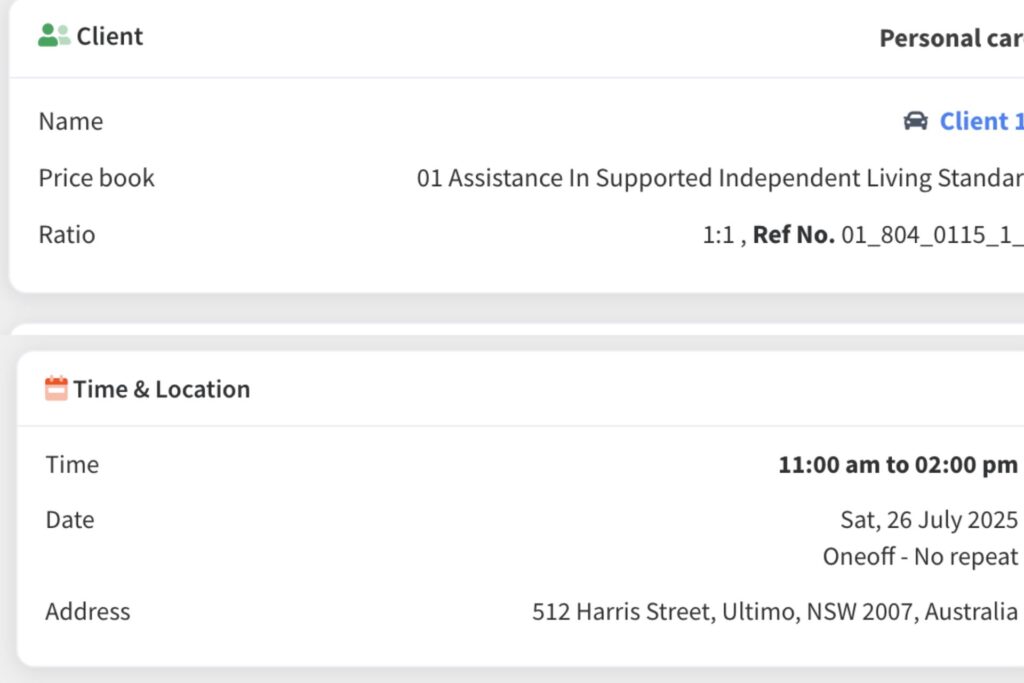
Mandatory Documents (Document Mgmt P2)
Qualification and client document types can now be marked as mandatory in ShiftCare, surfacing compliance gaps in the Document Hub and Compliance Reports. Admins can view, filter, and report on what is missing across staff and client profiles before an audit or quality review. The mandatory flag is set at the document type level and applies across all relevant profiles automatically. For NDIS providers managing worker screening, qualifications, and client consent documents, this gives a centralised compliance view without manual cross-checking.
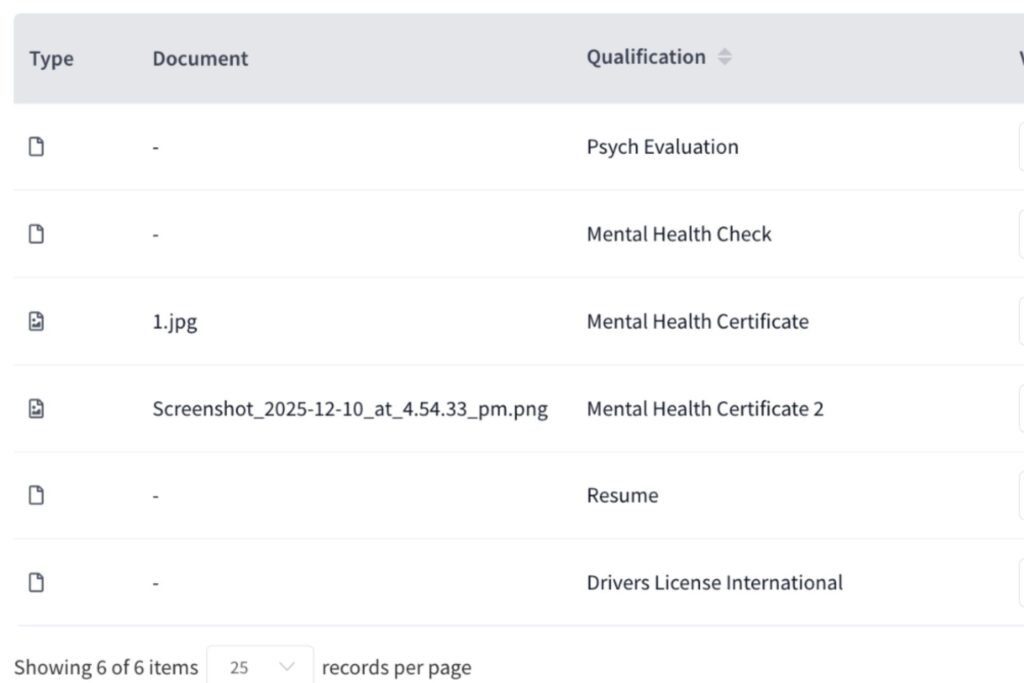
Mobile App Colour & Navigation Refresh
The ShiftCare mobile app has been updated with refreshed colours and a revised navigation structure. Carers moving between schedule, shift details, forms, and timesheets will find the updated layout easier to navigate during shifts. The refresh applies to all mobile users and requires no configuration changes from admins.
Recurring Billing – Pro Rata
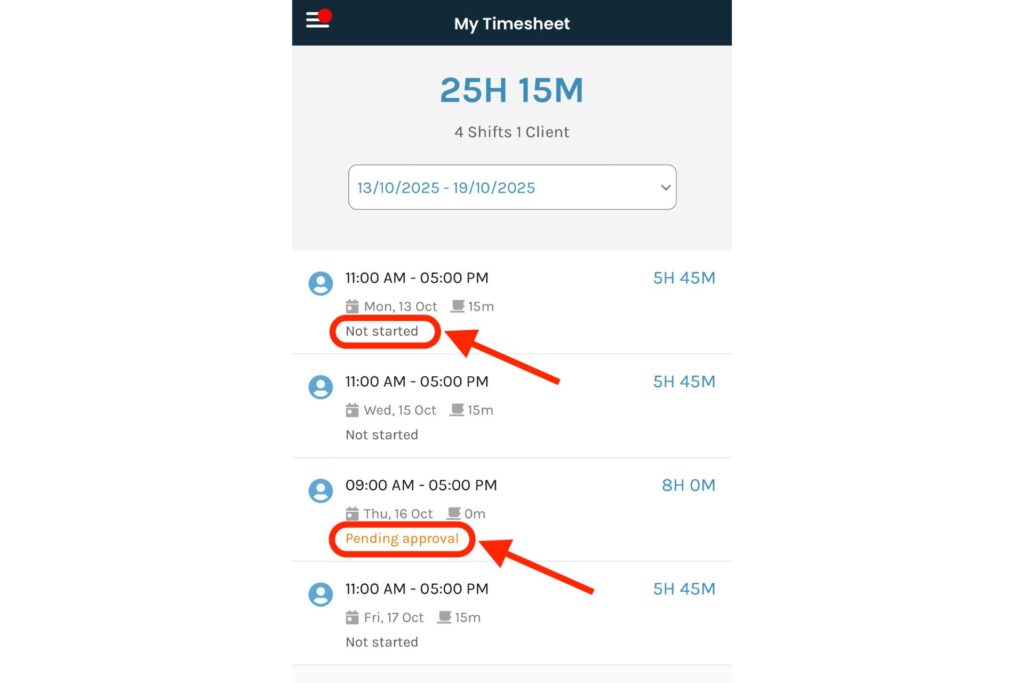
Recurring billing now pro-rates the first invoice to align with the billing week rather than applying a fixed offset. For providers billing weekly SIL items, the first invoice generated after setup reflects the correct partial period instead of being permanently misaligned. The pro-rata calculation applies automatically to new recurring billing configurations, removing the need for manual invoice adjustments at the start of a billing cycle.
Support at Home Care Management API
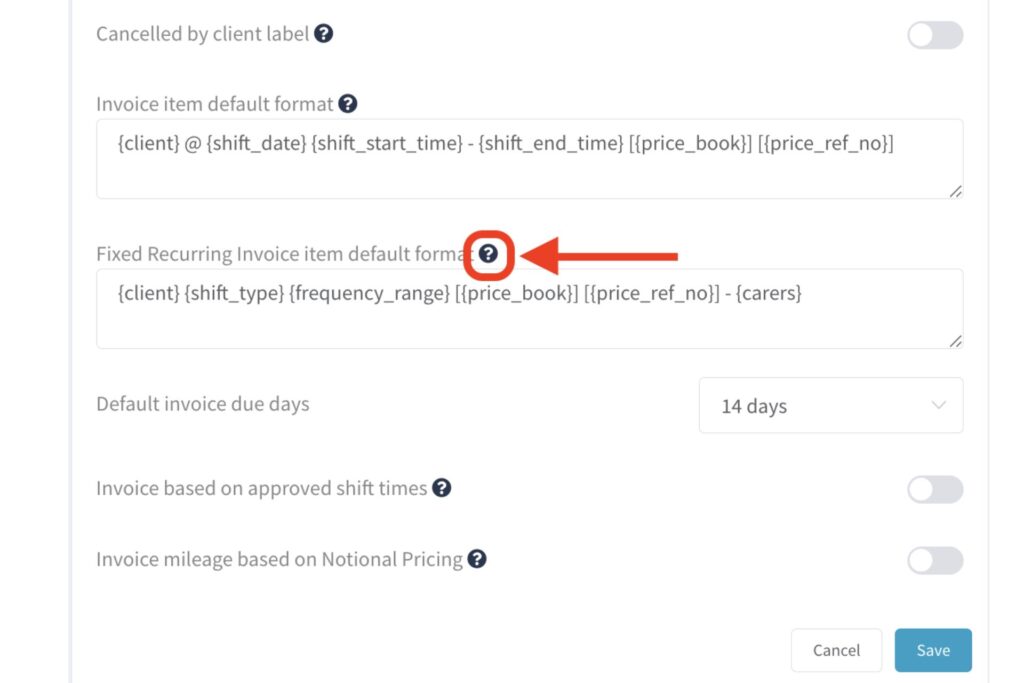
The Support at Home Care Management page now pulls balances directly from the QuickClaim API rather than relying on internally stored figures. Providers see authoritative balance data sourced from Services Australia, giving a more accurate view of unclaimed work and available funding per client. Discrepancies between what ShiftCare displays and what Services Australia holds are reduced. Providers managing multiple Support at Home clients across different funding levels would find this helpful.
Xero Leave Sync – Leave Type Mapping (Phase 0)
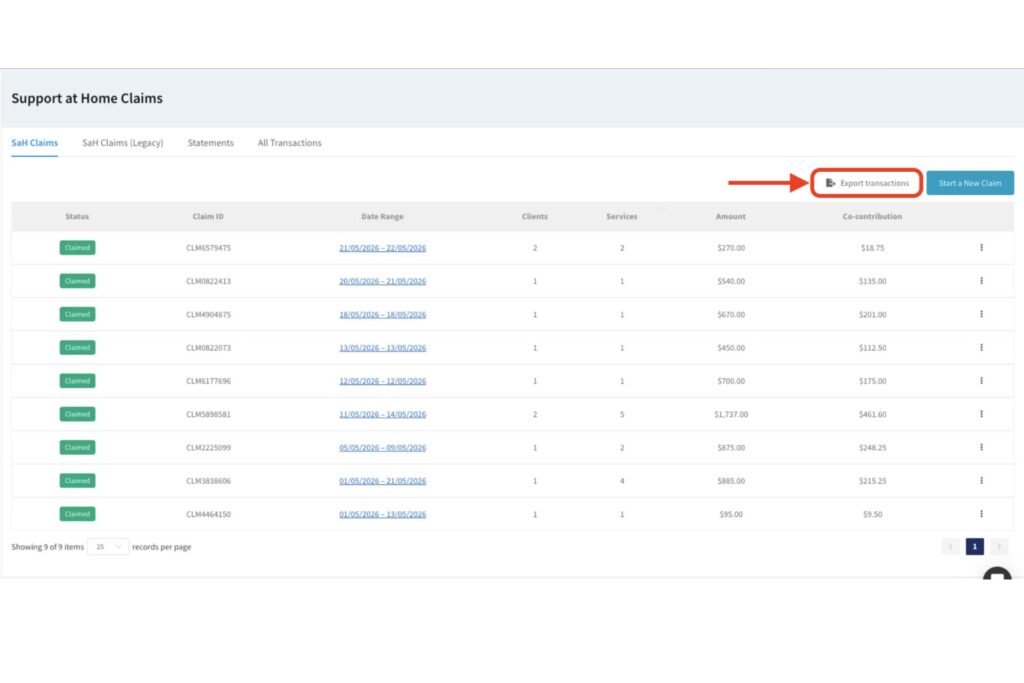
ShiftCare leave types can now be mapped to their corresponding Xero leave types, laying the groundwork for automated leave syncing in Phase 1. Admins configure the mapping once within ShiftCare, and the platform uses those mappings when syncing leave data to Xero Payroll. Completing this setup step is required before the auto-sync functionality in Phase 1 will operate correctly.
Xero Leave Sync – Auto Sync (Phase 1)
Approved leave now syncs automatically to Xero Payroll once leave type mappings are configured. Admins no longer need to manually re-enter leave in Xero after approving it in ShiftCare, eliminating duplicate data entry from the payroll workflow. The sync triggers on approval, keeping Xero records current without any additional action from the payroll team.
Employment Hero / PayCat Qualifications Sync
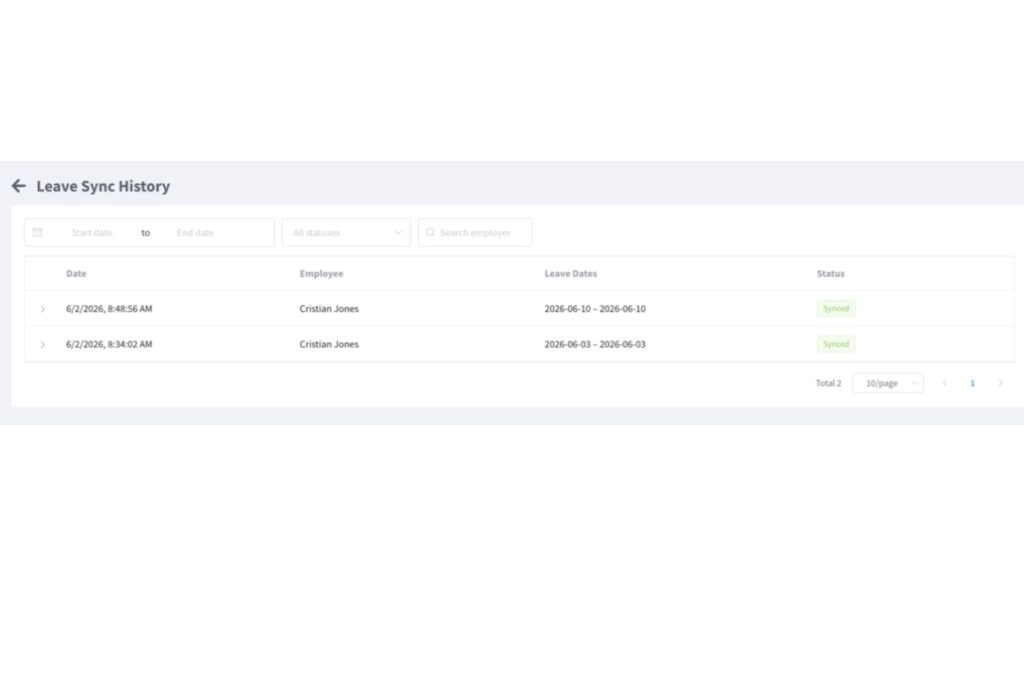
Staff qualifications recorded in ShiftCare now sync to both PayCat and Employment Hero Payroll, keeping records consistent across platforms without manual updates in each system. Providers using Employment Hero or PayCat alongside ShiftCare for HR and payroll no longer need to cross-check qualification records after any update in ShiftCare. The sync applies to all qualifications stored against staff profiles and triggers automatically when records are updated.
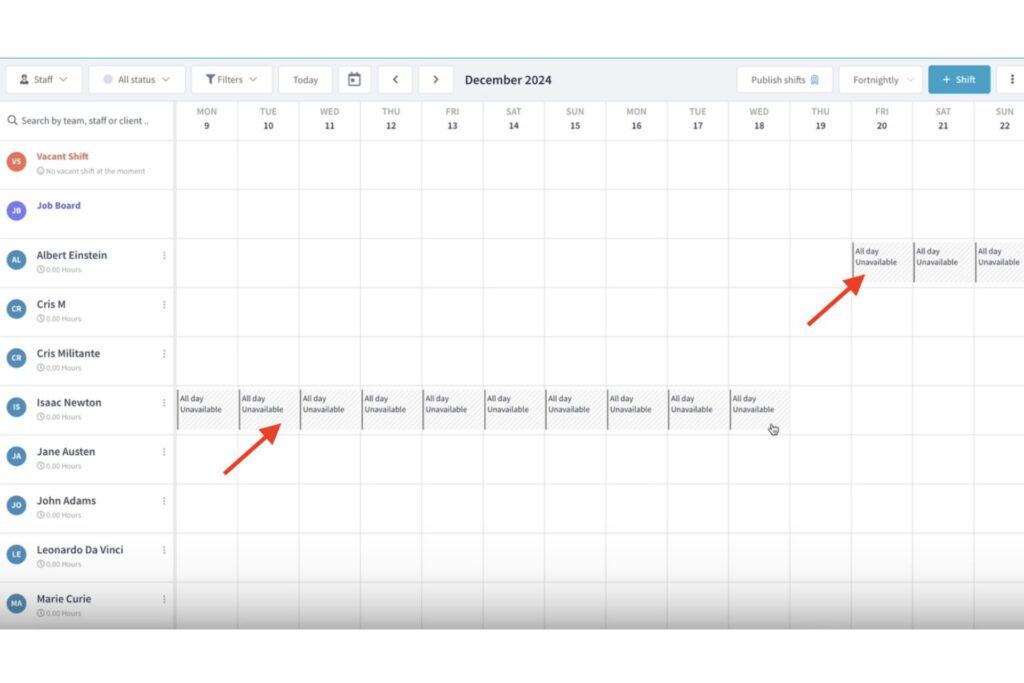
Quick Shifts
Coordinators can now create a shift directly from the scheduler timeline using an inline Quick Shifts popover, skipping the full Add Shift modal. The popover captures the essential shift details needed to save the shift in fewer steps. For coordinators building or adjusting rosters at high volume, this reduces the time per shift creation across the full rostering workflow.
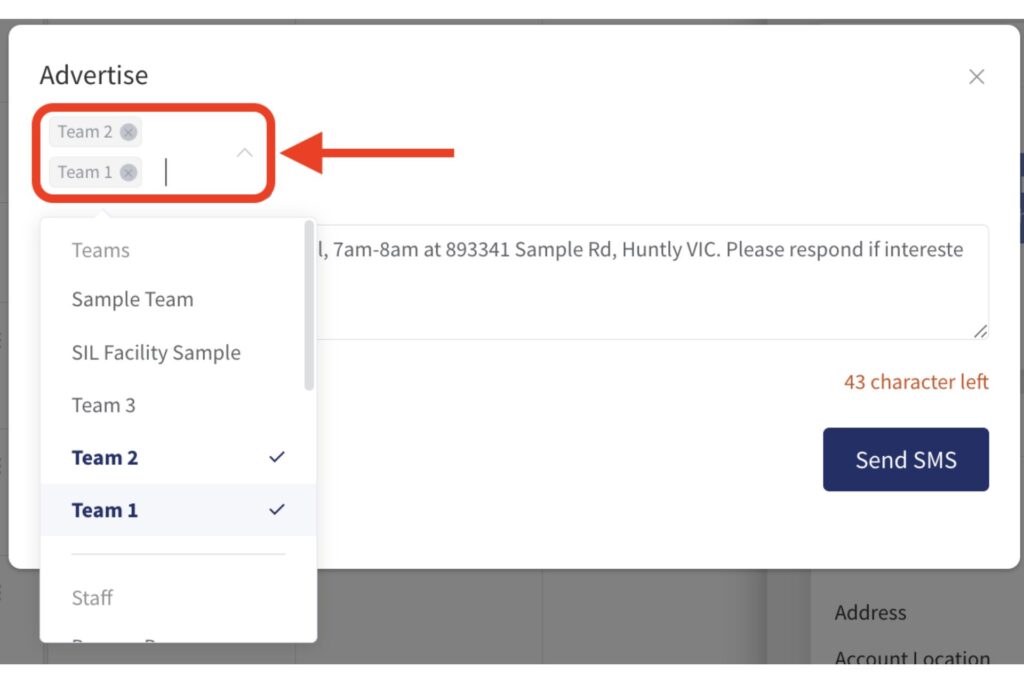
BECS Direct Debit – Coupon Support
Promo codes can now be applied during BECS Direct Debit sign-up, giving direct-debit customers access to the same coupon discounts previously available only to card payers. The coupon field appears in the BECS sign-up flow and applies the discount before the first payment is processed. Providers onboarding new clients through direct debit can include promotional pricing from the point of setup.
Enhanced Staff Import via CSV
The CSV staff import has been updated to handle larger uploads more reliably. Providers bringing significant numbers of new staff into ShiftCare in one go will find the enhanced importer reduces errors and processing issues common with high-volume imports. The import format and field mapping remain consistent with the existing CSV structure.
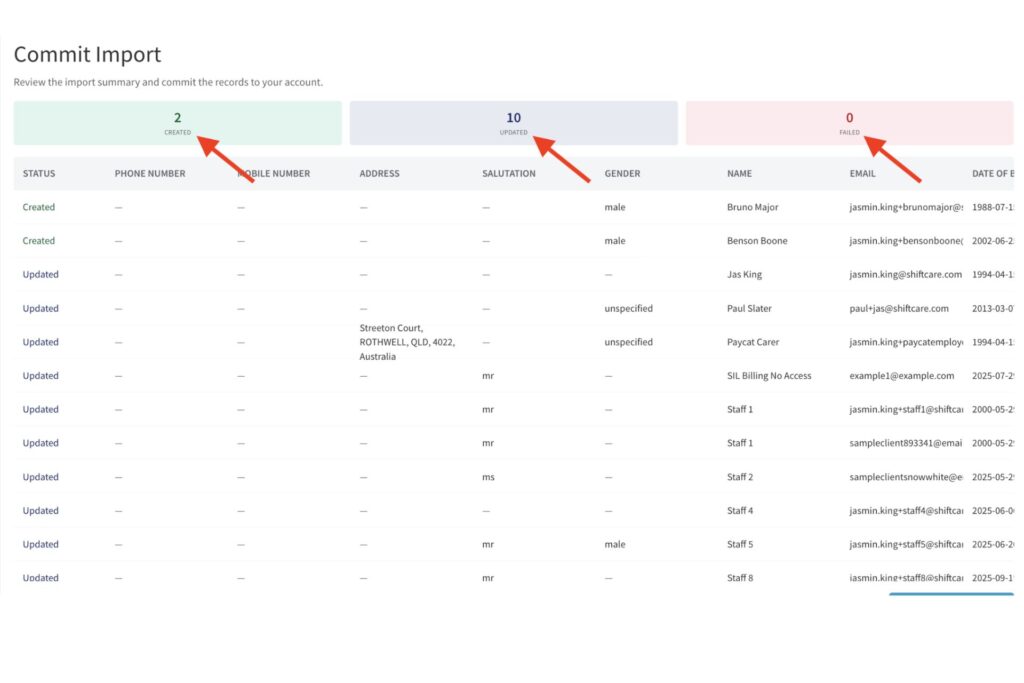
Client Status – Hospitalised
A new Hospitalised client status can be applied with a defined start and end date, and ShiftCare automatically reverts the status when the period ends. Providers can pause scheduling and billing for a client temporarily without archiving the profile or disrupting care plan continuity. The automatic reversion removes the need for a manual status update on discharge.
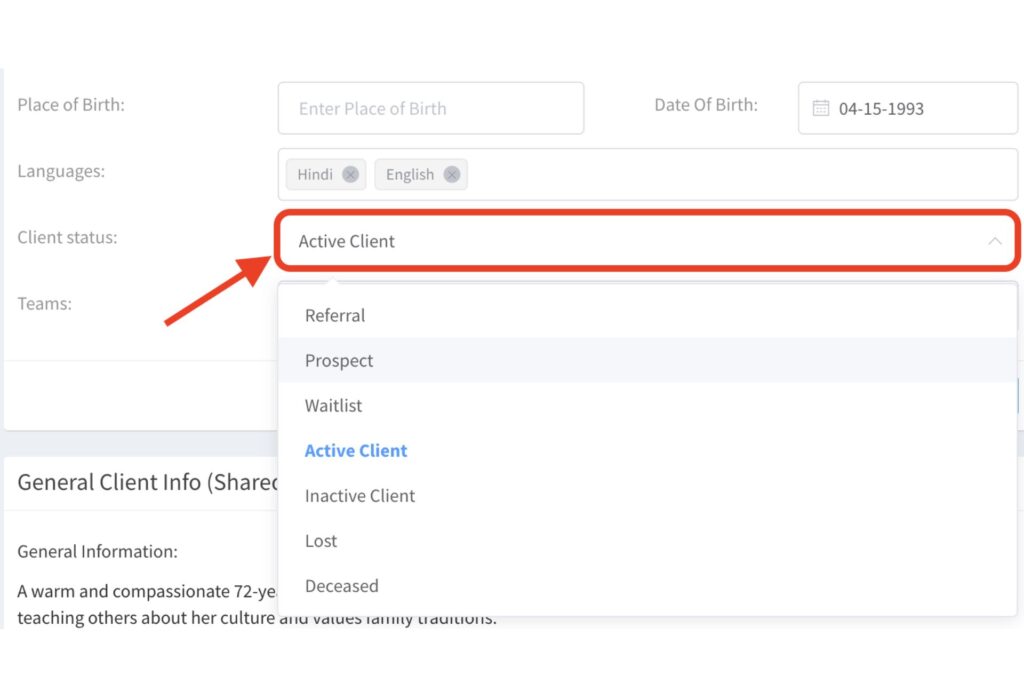
Mileage Phase 5 – Manual Entry
Carers can now log travel distance manually in the mobile app when GPS tracking is unavailable or inaccurate. Manual entry complements existing GPS-based mileage tracking, giving carers a fallback for rural areas with poor signal or situations where automatic capture fails. Manually entered distances feed into the same mileage reports and reimbursement workflows as GPS-tracked entries.
Hide Plan Upgrade Modal for Subscribers
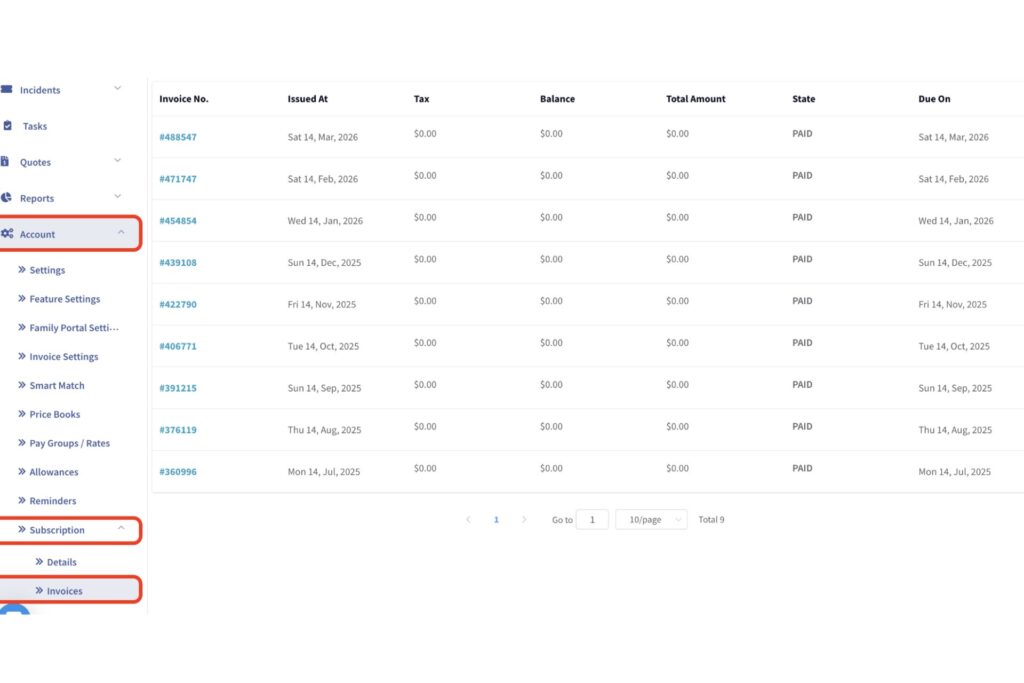
Active subscribers no longer see the plan upgrade prompt on the billing page. Previously displayed to all users regardless of subscription status, the modal created unnecessary interruption for providers already on a paid plan. The change applies automatically to all active accounts.
These updates are live in ShiftCare now. Sign in to your account to see what’s new. View all product updates.